
In every plan
Part L photo evidence, kept as you build
Every site photo carries its date, time and location. For new homes, tag each photo to a plot and an Appendix B detail, then download a report and a ZIP for building control.
Best for: Housebuilders and contractors building new dwellings who need to show the energy assessor and building control what was built. In every plan, nothing extra to pay.
Photos that carry their own proof
Date, time and location
Photos taken in the app record when and where they were taken. A photo taken offline keeps its real capture time when it uploads later.
Location checked
For Part L photos the app asks for a usable location fix. A photo with a very weak or missing location is not accepted as Part L evidence, and a weak one is flagged.
Live photos for Part L
Picking an existing file from a desktop cannot prove when or where it was taken. So Part L evidence is added from a phone or tablet camera.
Blur before upload
Draw boxes over faces, screens or paperwork. The photo is blurred on your phone, and only the blurred copy is uploaded.
Tagged to the Appendix B details
Plot and detail on each photo
Choose the area, the Appendix B detail and the plot. A photo of the eaves on plot 1 is labelled P1/3b. Not sure of the detail yet? Upload now and choose it later.
Six areas, with a coverage check
Foundations and ground floor, external walls, roofs, openings, airtightness and building services. A bar shows which areas still have no photo, before the work is covered up.
A hint for each area
Each area says what a photo of it needs to show, so the right shot is taken while the detail is still open.
Downloads for building control
The Part L evidence report
A PDF listing every tagged photo against its detail, with when and where it was taken and a summary of which areas are covered.
A ZIP of the photos
One file per photo, named by plot and detail, such as P1_3b.jpg. The date, time and location are written into each image, with a list of the same facts alongside.
Any photos, stamped
Choose photos in the gallery and download them with the date, time and location printed below the picture. The picture itself is not covered.
The real app
On the phone and at the desk
Big buttons on site. Tables, filters and every record side by side in the office.
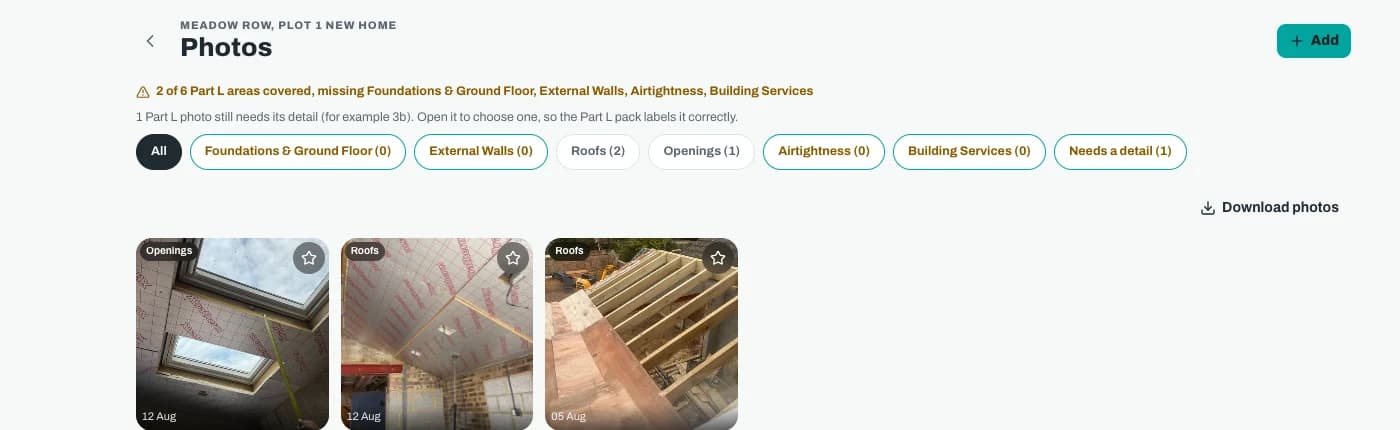
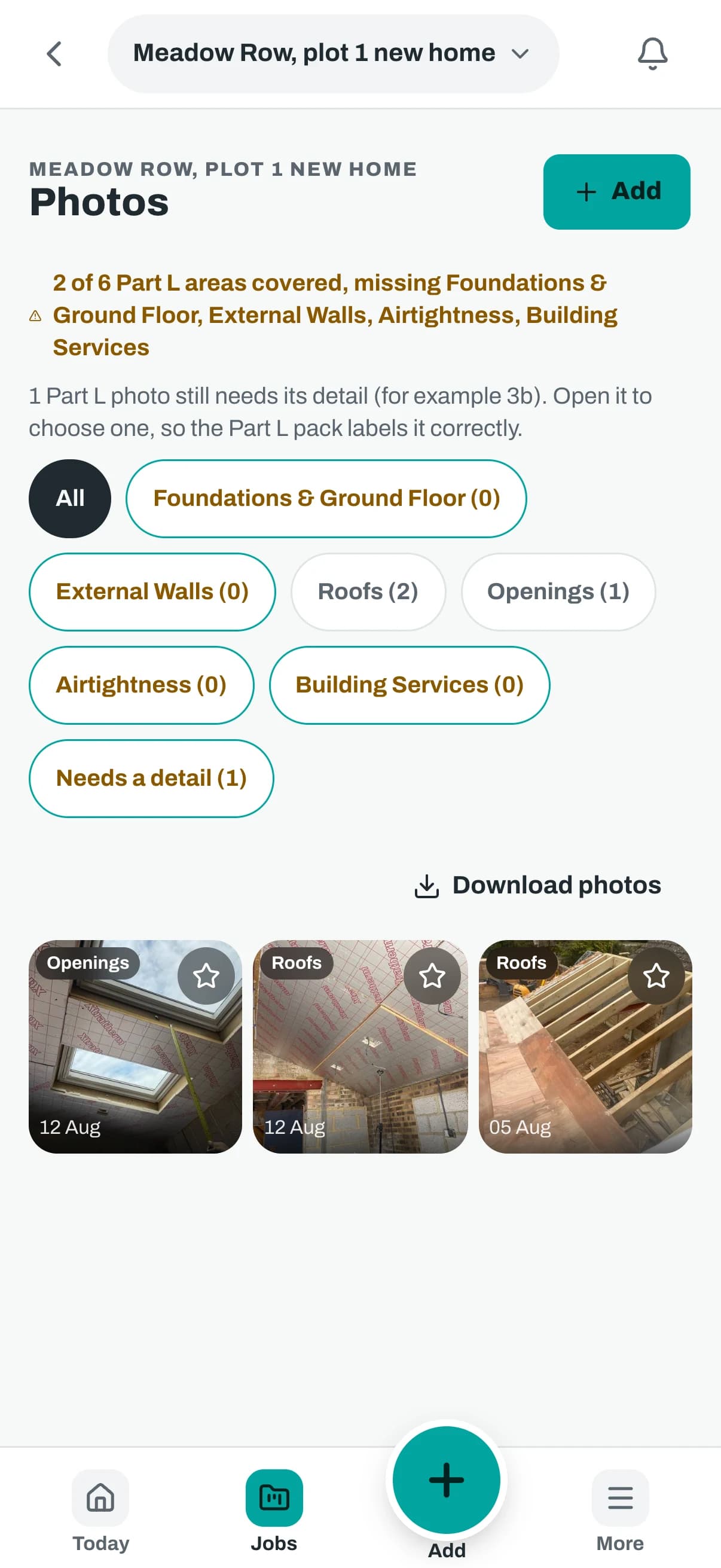
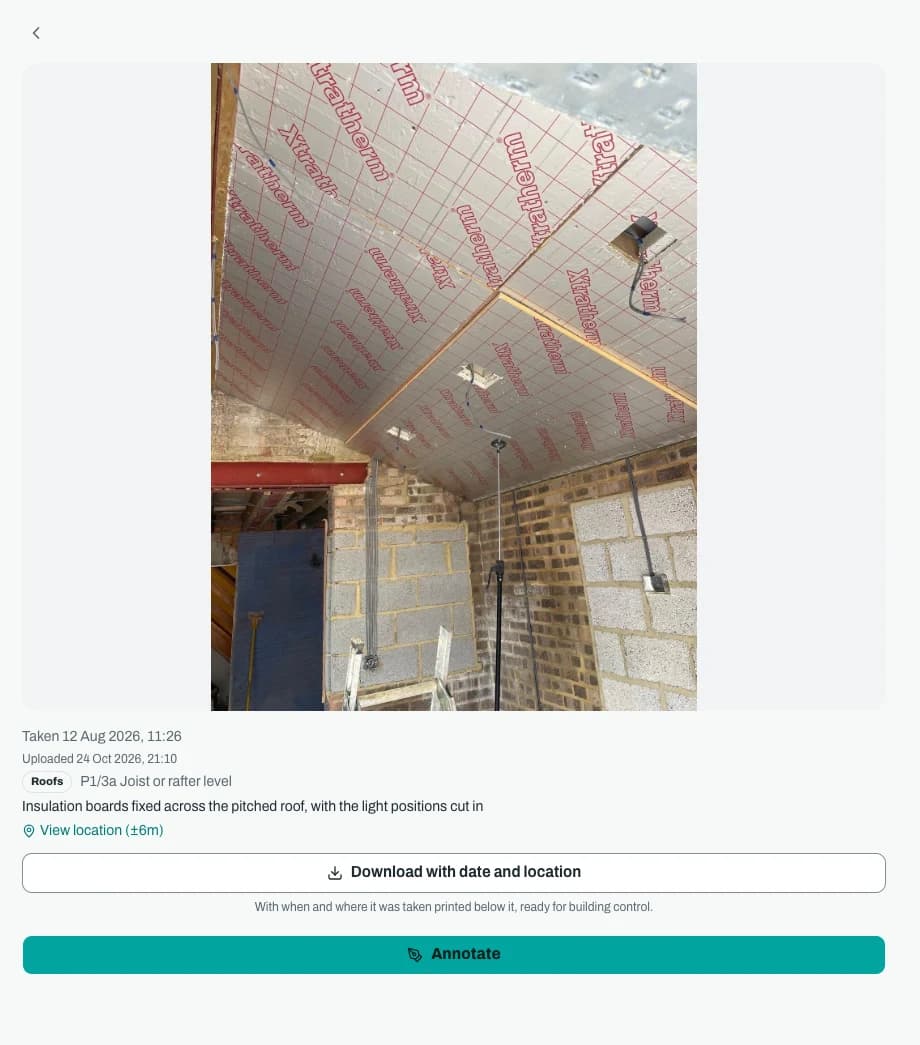
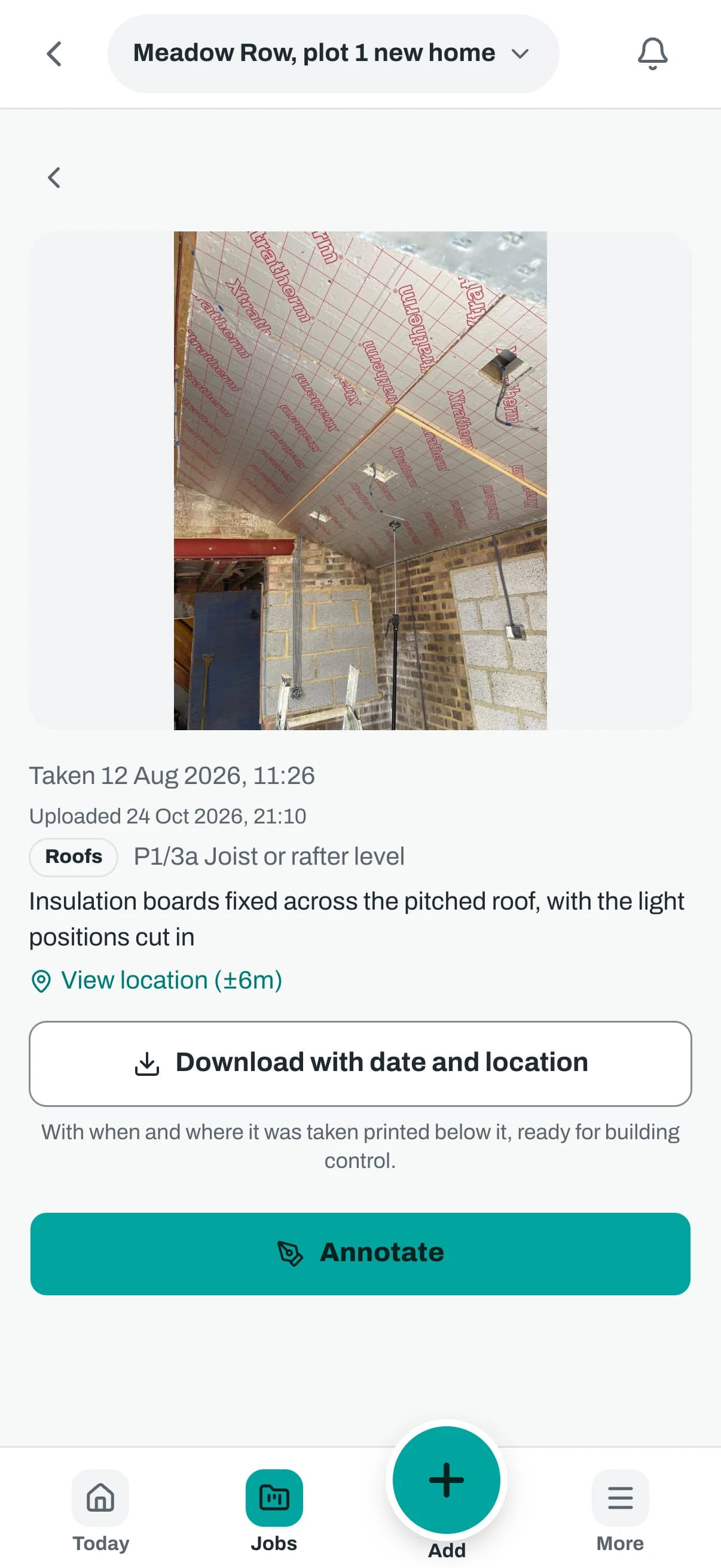
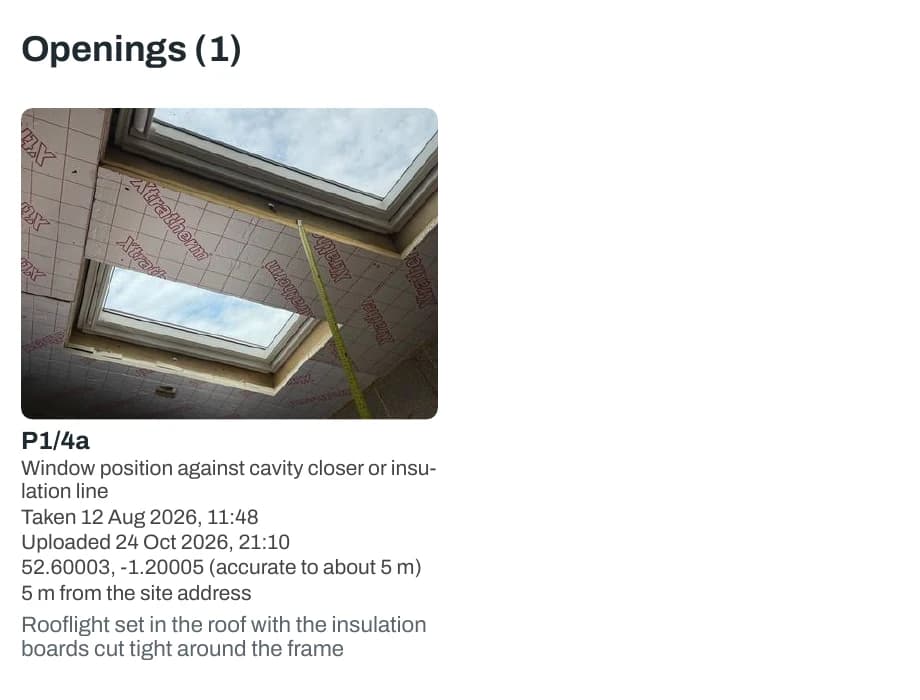
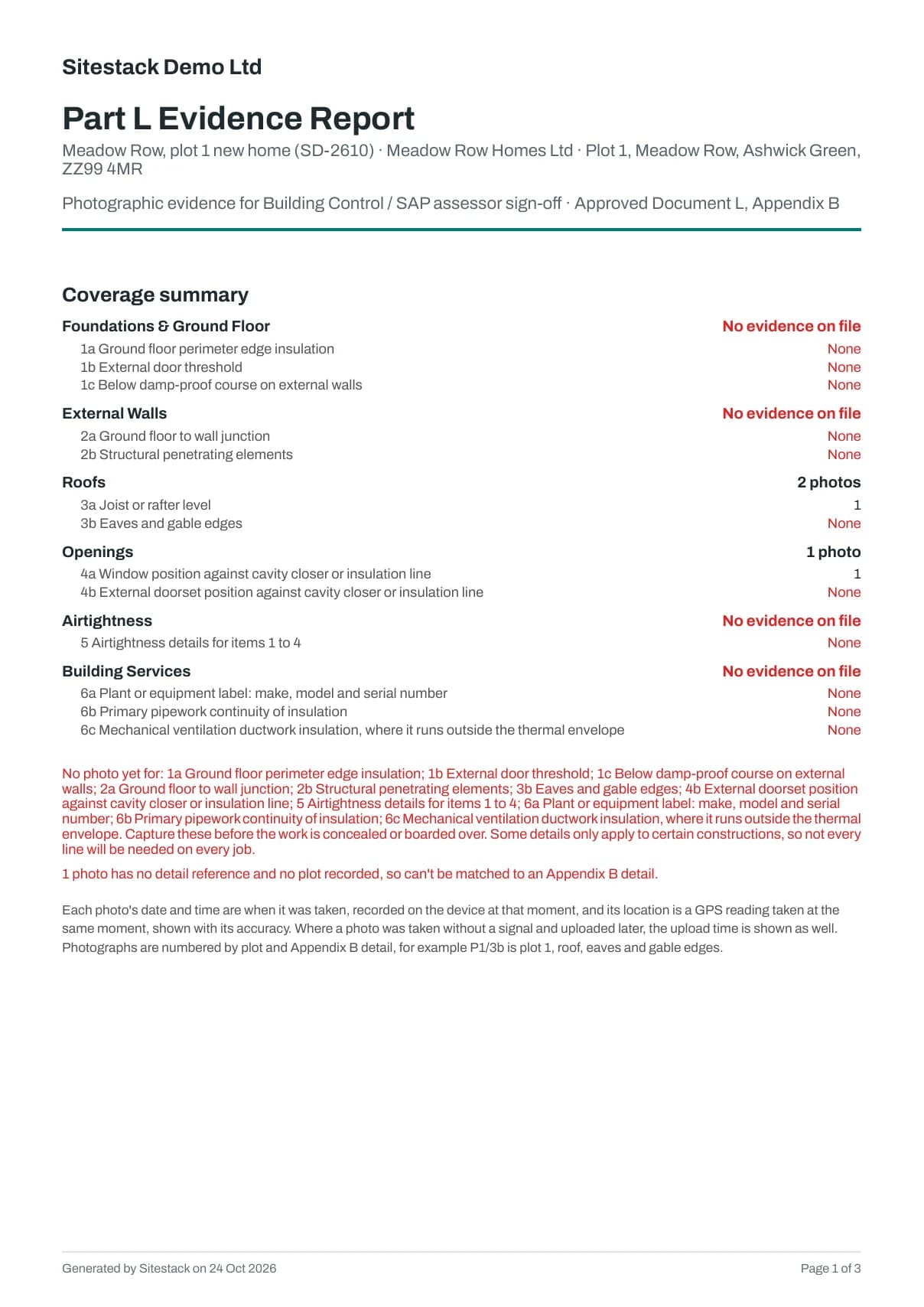
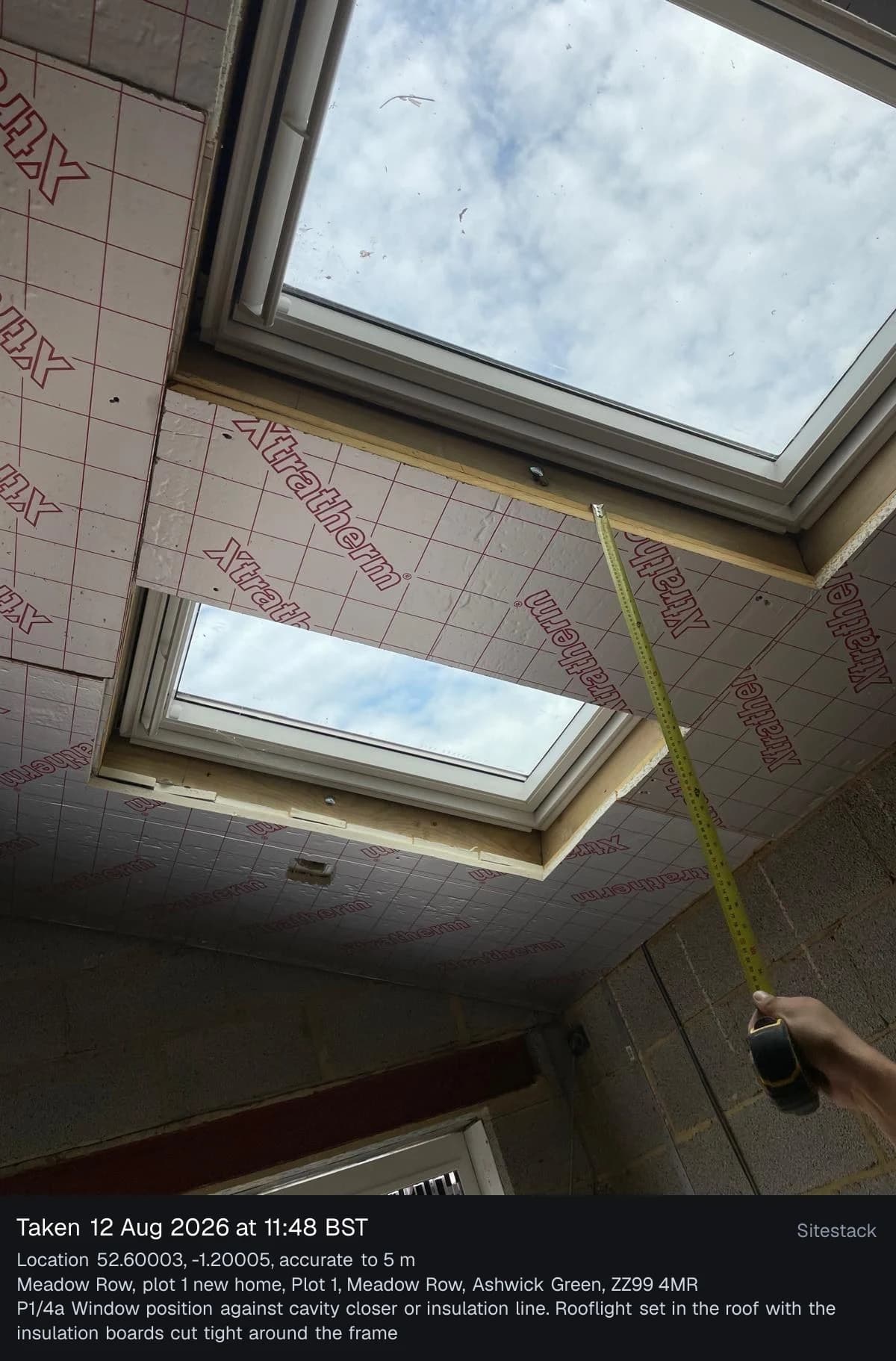
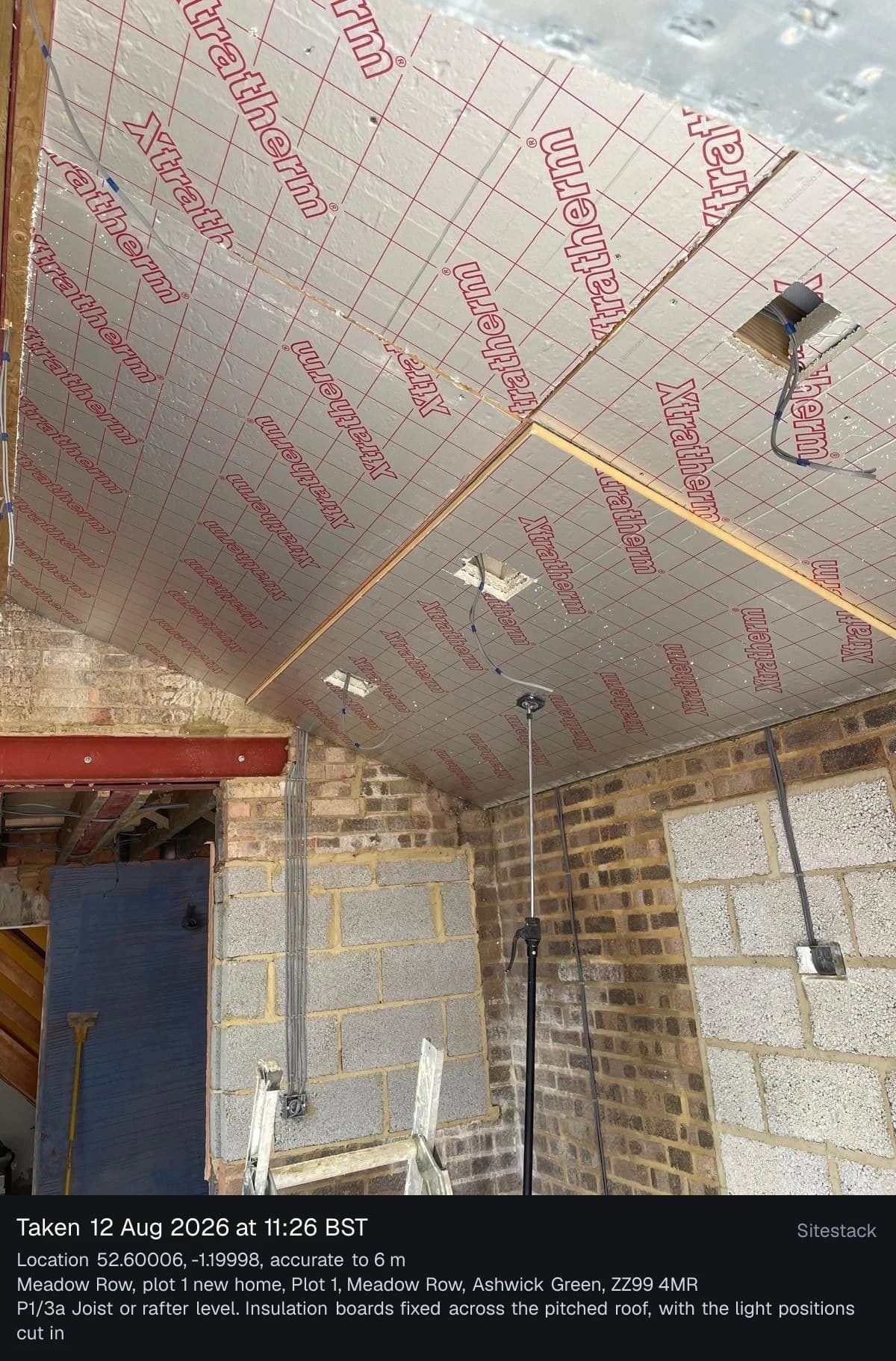
Screenshots show demo data.
Plain words
What it does and does not do
What it does not do. Part L evidence in Sitestack is for new dwellings only, following Appendix B of Approved Document L. Sitestack helps you keep the record. It does not make a building comply, and it does not replace the advice of your energy assessor or building control. Check your own obligations.
Questions
Photo evidence: what people ask
Does Sitestack mean my build meets Part L?
Does it work for extensions or refurbishment?
What does building control receive?
Can I add the photo later if I forgot the detail?
What if there is no signal on site?
Can clients and consultants see the photos?
Related
Works well with
- In every plan
Site diary
Daily reports that start part filled in.
More about Site diary - In every plan
Snags and defects
Raise, fix and verify, with the client where you allow it.
More about Snags and defects - £29 a month
Handover and Reporting
Handover packs, aftercare, social value and a dashboard.
More about Handover and Reporting
Start your 14 day trial
14 day free trial. Every tool is on while you try it. Your card is taken at sign up and nothing is charged until the trial ends.