
In every plan
Raise, fix and verify every snag
Raise a snag on your phone, assign it to a company, and see it through to a checked and closed record. When work is complete, a separate defects register keeps what comes back after.
Best for: Contractors, housebuilders and fit out teams who chase snags through photos, spreadsheets and messages today. In every plan, nothing extra to pay.
Snags from raised to closed
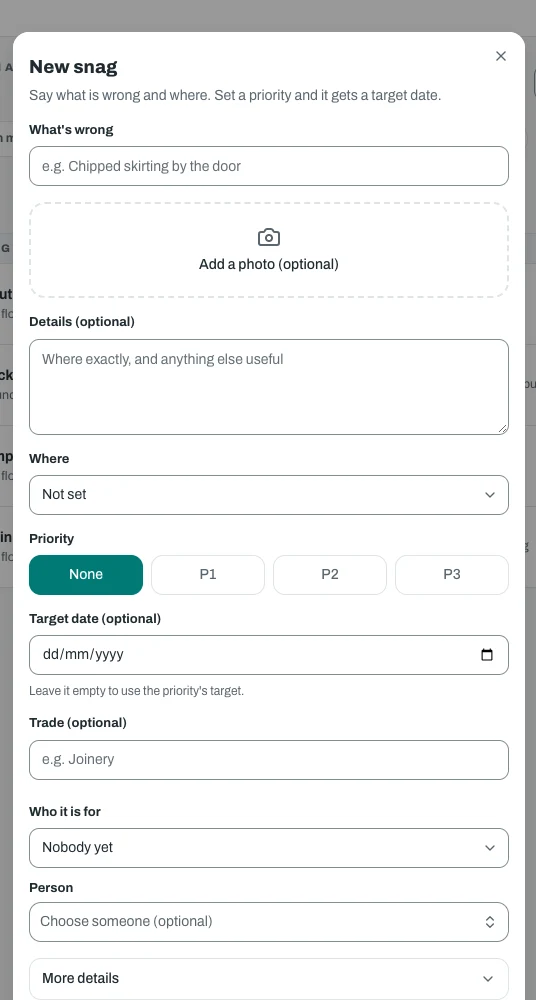
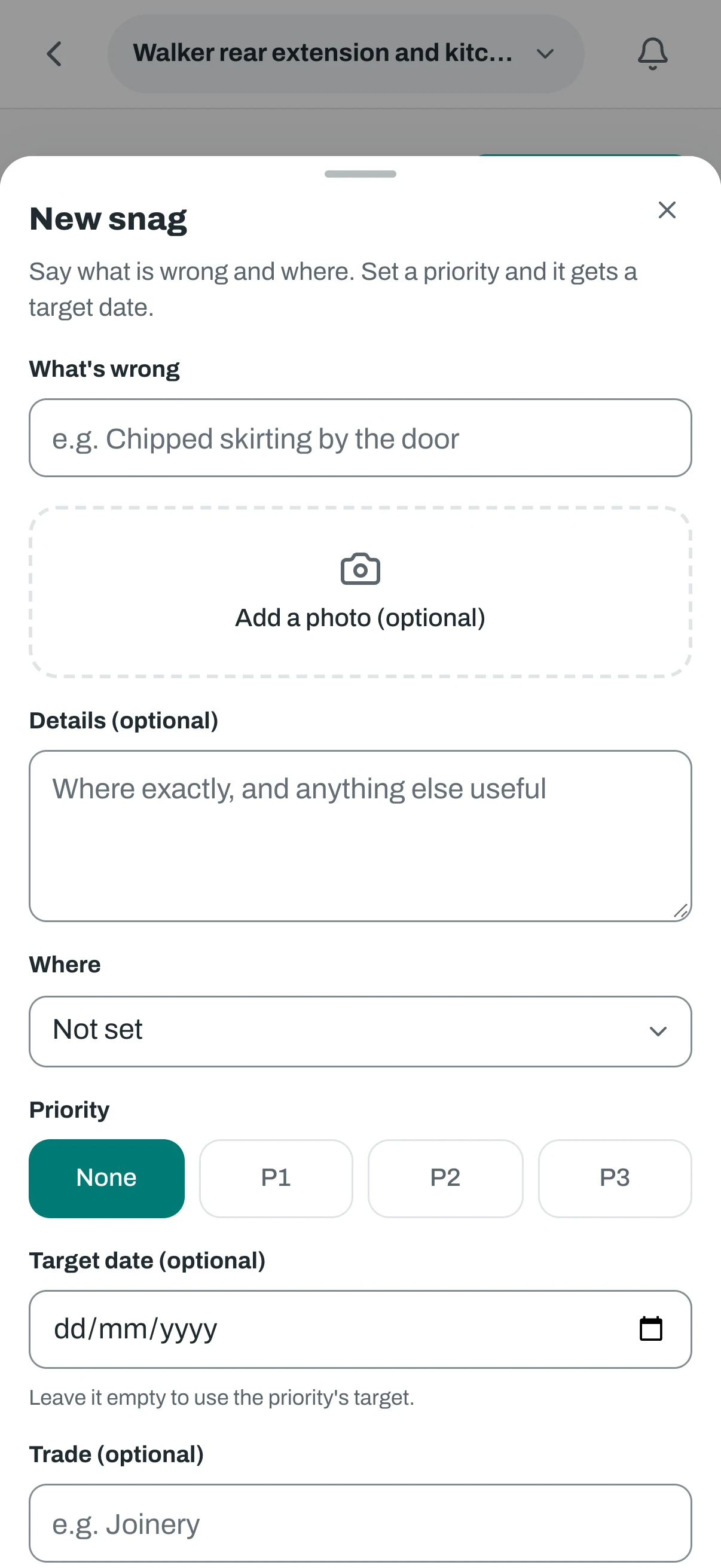
Raise it where you stand
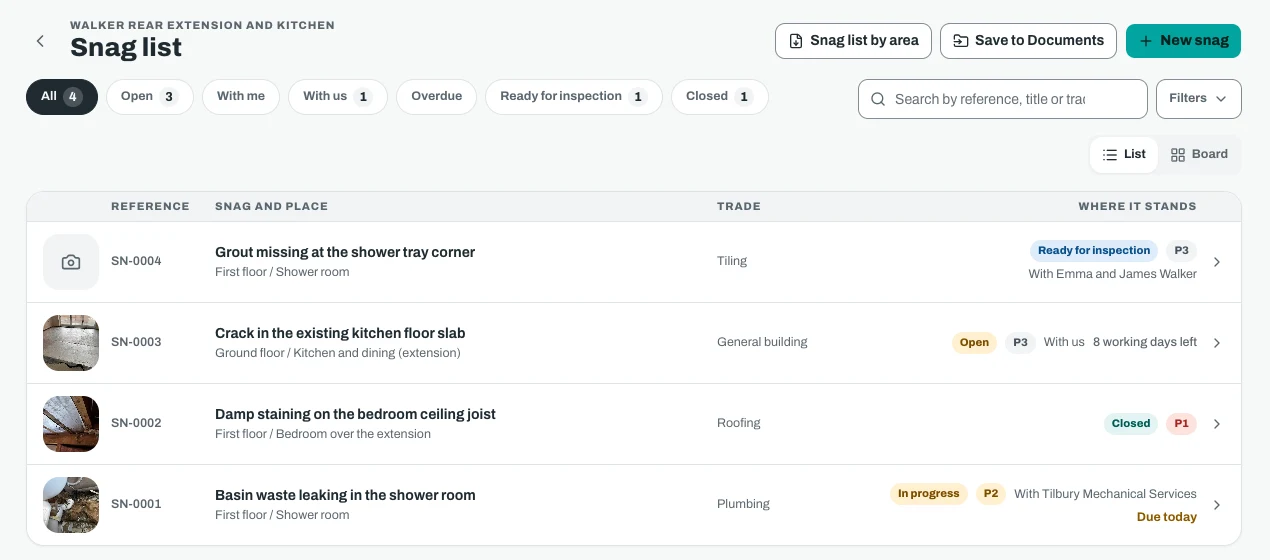
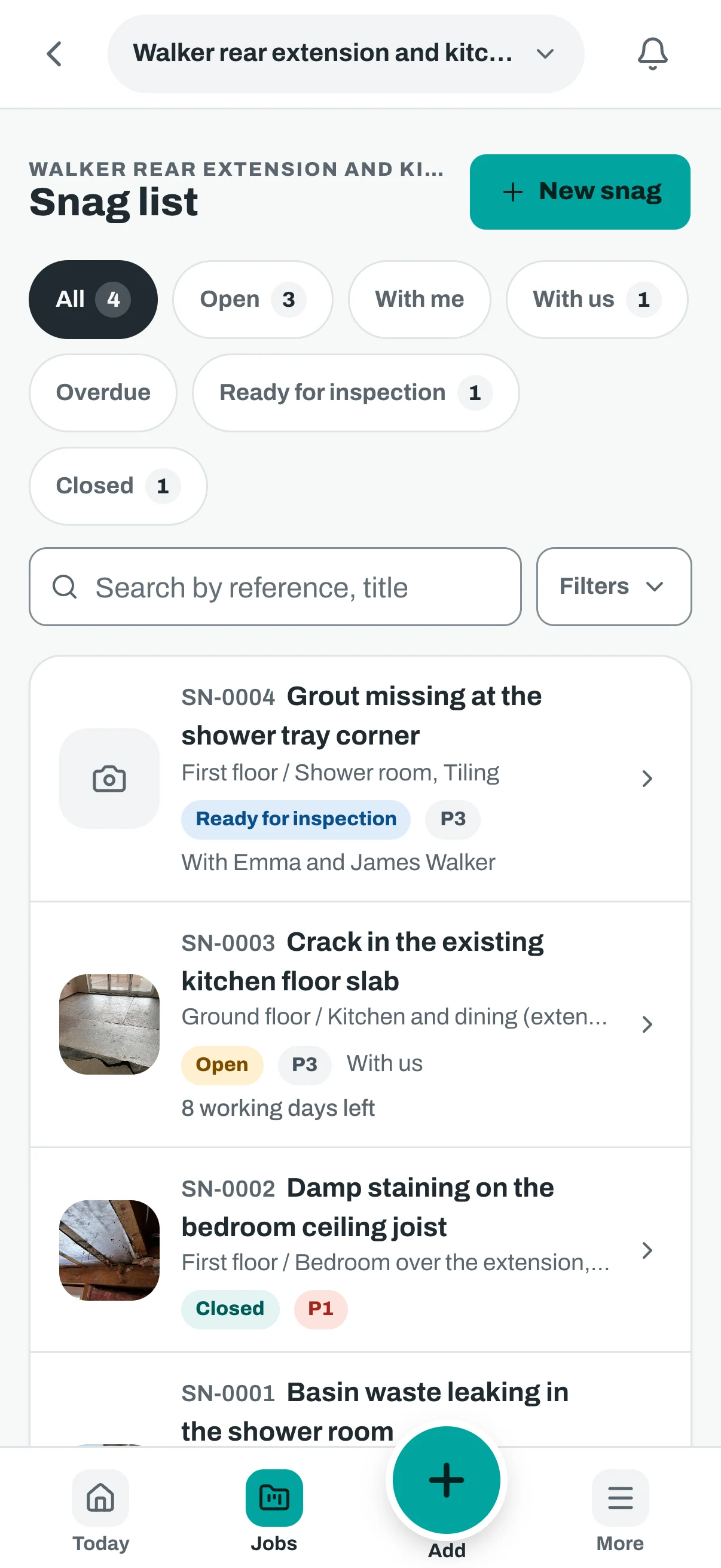
Give it a title, a priority, a location and a trade, and attach photos. Each snag gets its own reference, such as SN-0004.
Assign it to a company
Assign a snag to a company or a person, with a due date from your own priority targets in working days. If you set no target, no date is invented.
Fix, then inspect
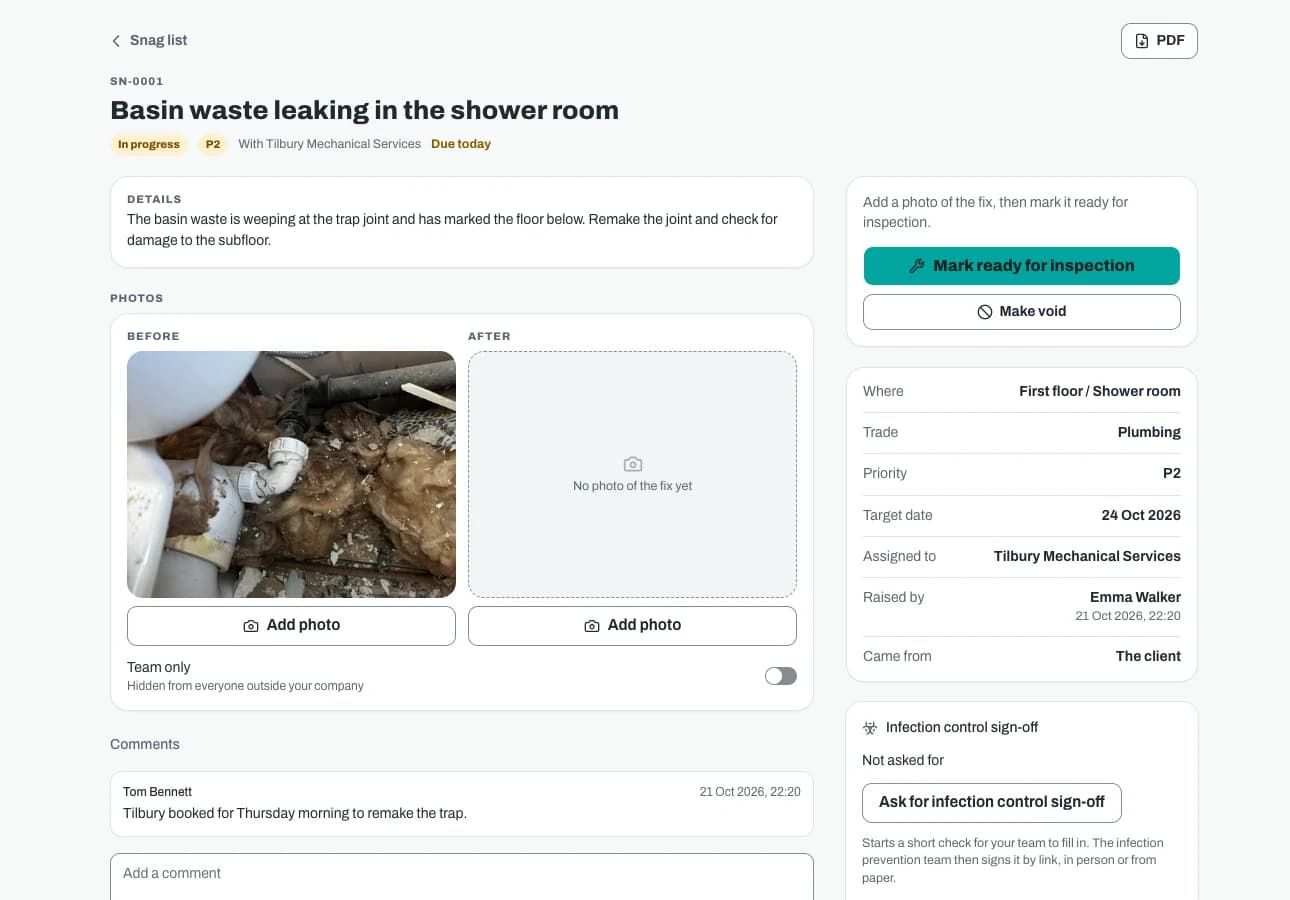
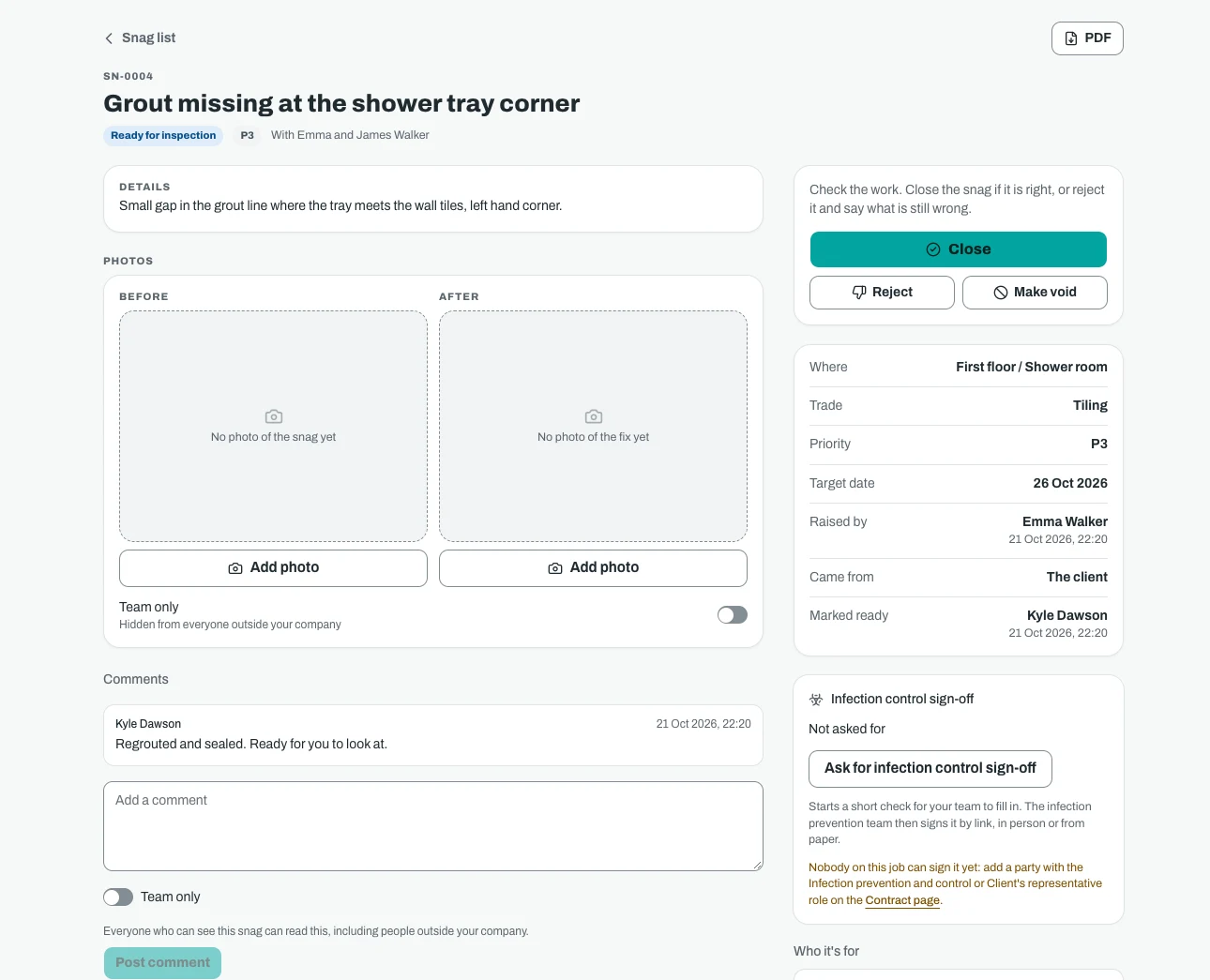
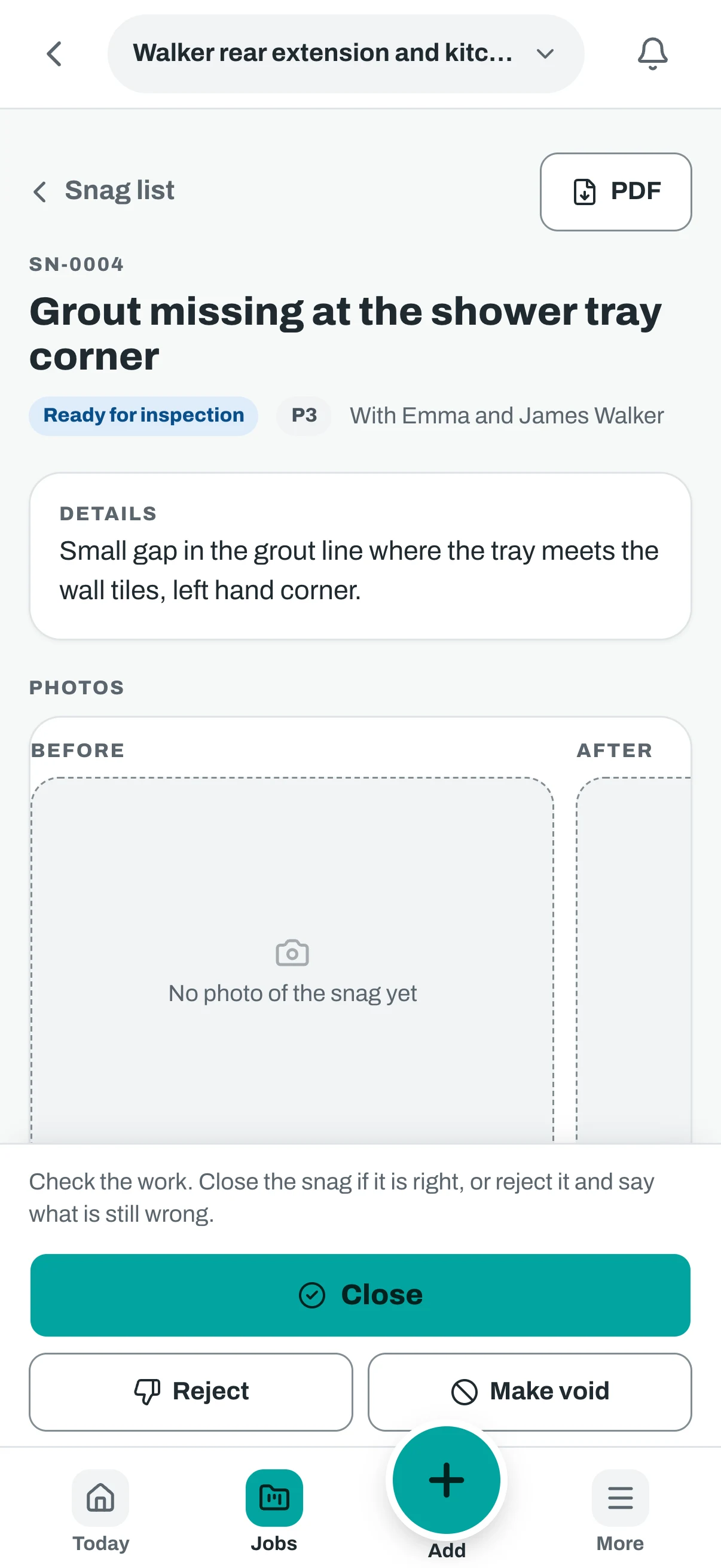
The assignee starts it and marks it ready for inspection. Whoever verifies snags then closes it or rejects it with a reason. A closed snag can be reopened.
Comments and history
Everyone who can see a snag can comment on it. Each step is recorded with who took it and when.
Photos on every snag
Before and after
Attach photos as before or after. The proof the fix was done sits on the snag, not in someone's camera roll.
Subcontractors see what is theirs
A subcontractor with a free login sees the snags assigned to them, and can start them and mark them ready.
Lists you can hand over
Download the snag register as a PDF, including a version grouped by area. Filter first, so you send only what the reader needs.
Clients, consultants and defects
Client access where you allow it
Clients and consultants can be allowed to view, raise and verify snags. You decide per person, so a client can inspect and close what matters to them.
A defects register after completion
Defects reported after completion have their own register, with who reported each one, the contract notice and a correction date from the period you set.
Move a snag to defects
When a snag is still open at completion, your team can move it to the defects register. The defect is written from the snag in one step, so nothing is retyped.
Working demo
Try it: snag a drawing
Tap the drawing to drop a pin, give it to a trade, then move it through to closed. Made up data, nothing is saved.
Riverside House, Flat 3 snags
app.sitestack.buildDemo data- Open
- In progress or waiting for a check
- Closed
Snags on this drawing
Try it
Tap the drawing where something is wrong, then fill in the snag.
Tap anywhere on the drawing to drop a pin, or use Place a pin.
Snags and the snag list are in every plan. Placing snags on drawings comes with Handover and Reporting. More about snags and defects
The real app
On the phone and at the desk
Big buttons on site. Tables, filters and every record side by side in the office.
Screenshots show demo data.
Plain words
What it does and does not do
What it does not do. Sitestack records who raised, fixed and checked each item, and when. It does not decide what counts as a defect under your contract, and it does not give legal advice on notices or defects periods. Check your own contract.
Questions
Snags and defects: what people ask
What is the difference between a snag and a defect?
Can my client raise snags themselves?
Do subcontractors need to pay to close out their snags?
Can I attach photos to a snag?
Can I export a snag list?
Does it set target dates for me?
Related
Works well with
- In every plan
Photo evidence
Date, time and location on every photo, and Part L evidence.
More about Photo evidence - In every plan
Site diary
Daily reports that start part filled in.
More about Site diary - £29 a month
Handover and Reporting
Handover packs, aftercare, social value and a dashboard.
More about Handover and Reporting
Start your 14 day trial
14 day free trial. Every tool is on while you try it. Your card is taken at sign up and nothing is charged until the trial ends.