
In every plan
Get variations certified before the work starts
Raise a variation with its cost, VAT treatment and time, and send it to the client or a consultant. Their answer is recorded with their name and the date, so you start work with it agreed.
Best for: Contractors who do extra work on a verbal go ahead and then argue about it at the final account. In every plan, nothing extra to pay.
Raise it with the facts
Addition, omission or substitution
Choose the kind. An addition adds to the price, an omission takes off, and a substitution can go either way.
Cost, basis and time
Record the amount, how it is valued (quotation, contract rates, daywork or fair valuation) and the days claimed. Attach a location and link the instruction it comes from.
VAT treatment, as you record it
Pick standard, reduced, zero, domestic reverse charge or outside the scope. Sitestack records your choice. It does not work out VAT.
Choose who certifies it
The client
The client signs or declines. They can sign on their phone, with their name and signature.
A consultant alone
A consultant certifies the value, and that agrees it. The client is not asked to sign and does not see it.
A consultant, then the client
The consultant certifies first. Then you send it on for the client to sign.
Pick from your directory
Choose the consultant from the job's parties or your company directory, or type a name and email. The usual certifiers, such as the contract administrator and architect, come first.
A private link for the consultant
No login needed
The consultant gets an emailed link that opens the variation, its cost and its attachments. They certify or reject it on that page.
Kept private
On the consultant only route, the link is emailed to the consultant and is not shown to your team. Change the consultant and the old link stops working.
You hear back
Whoever raised the variation gets a notification in the app when it is certified or rejected. The answer is recorded with the certifier's name and the time.
The real app
The whole route, step by step
Big buttons on site. Tables, filters and every record side by side in the office.
Step 1. Raise and price the variation
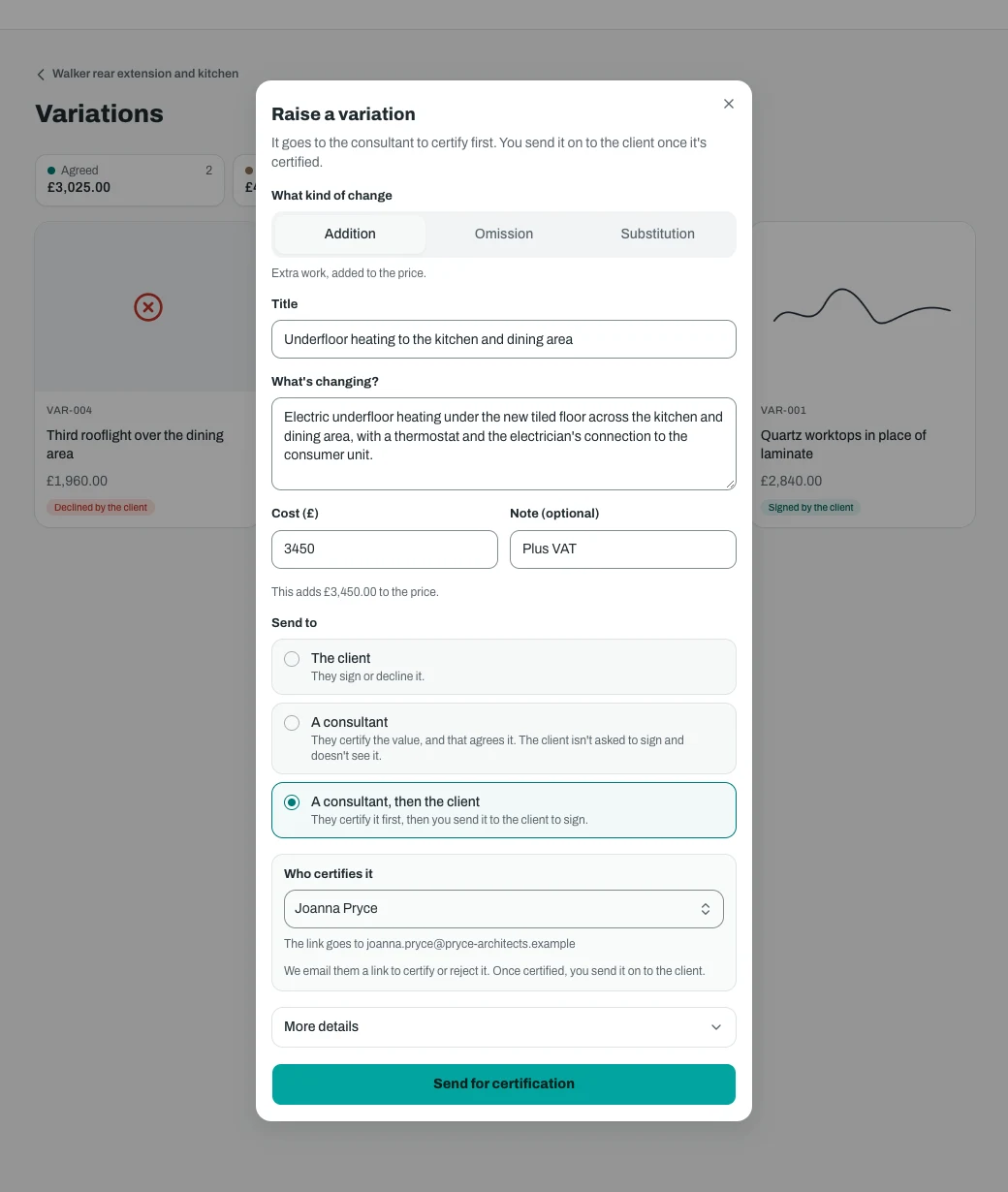
At the desk. Choose addition, omission or substitution, enter the cost and a note, and pick who certifies it. 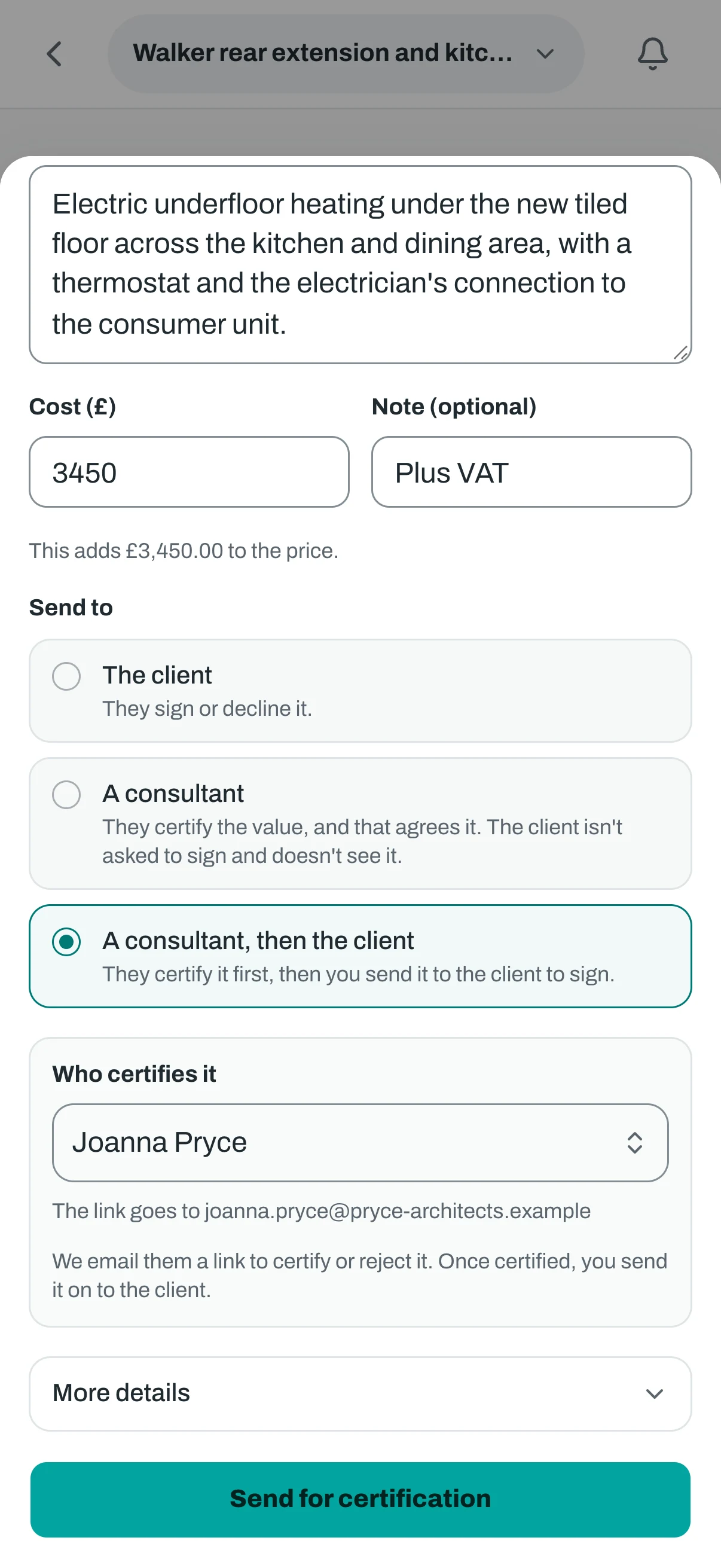
On the phone. The same form on a phone. The link goes to the consultant's email. Step 2. It is with the consultant
At the desk. The team sees where it is, who has it, what was valued and how, and can email the link again. 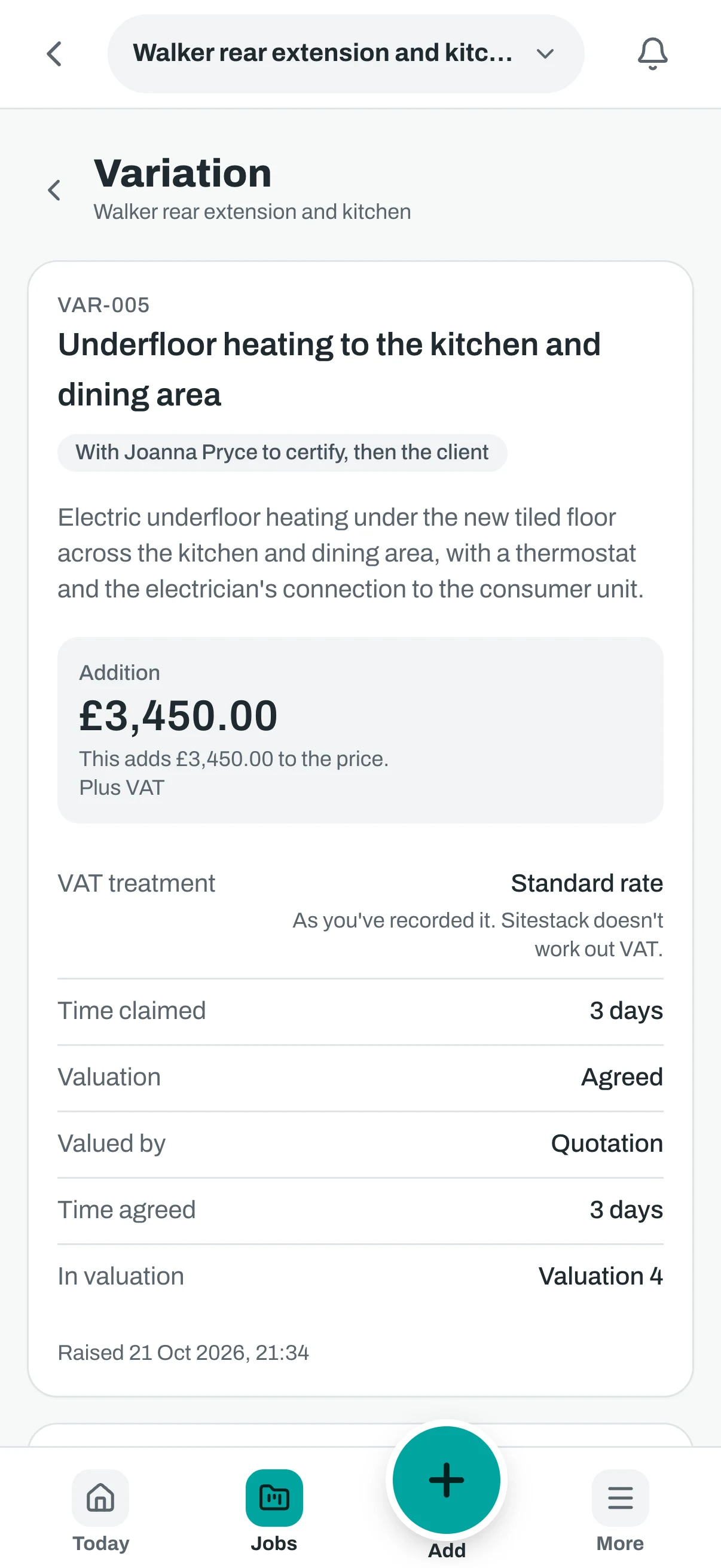
On the phone. The same stage on a phone. Step 3. The consultant opens their private link
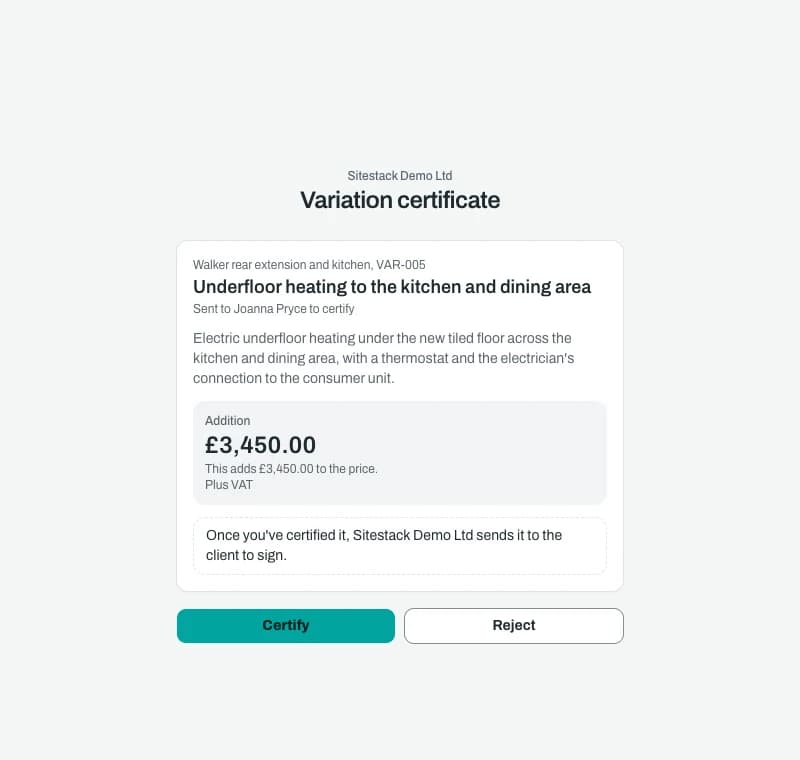
At the desk. The consultant sees the scope and the cost on a private page, with no login, and certifies or rejects. 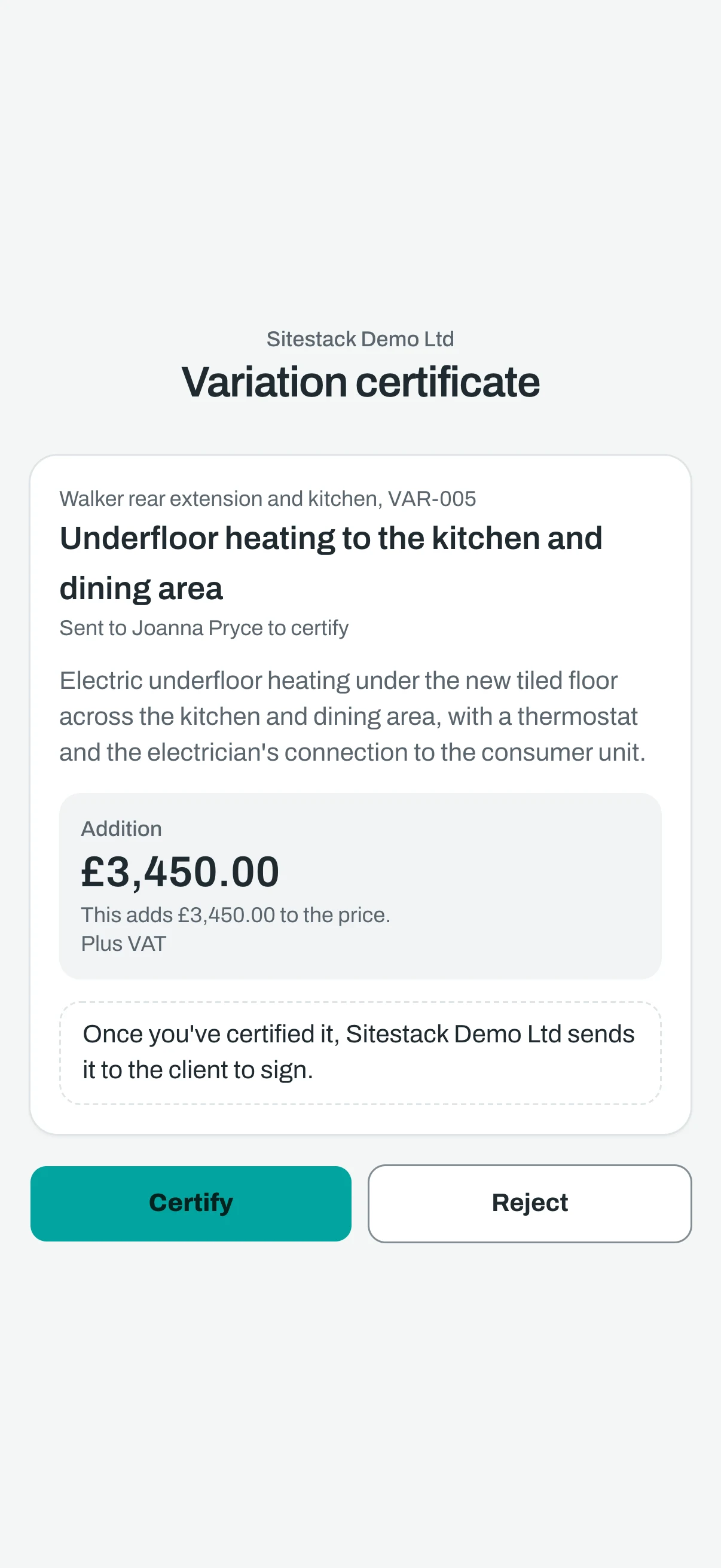
On the phone. The same page on the consultant's phone. Step 4. Certified, ready to send to the client
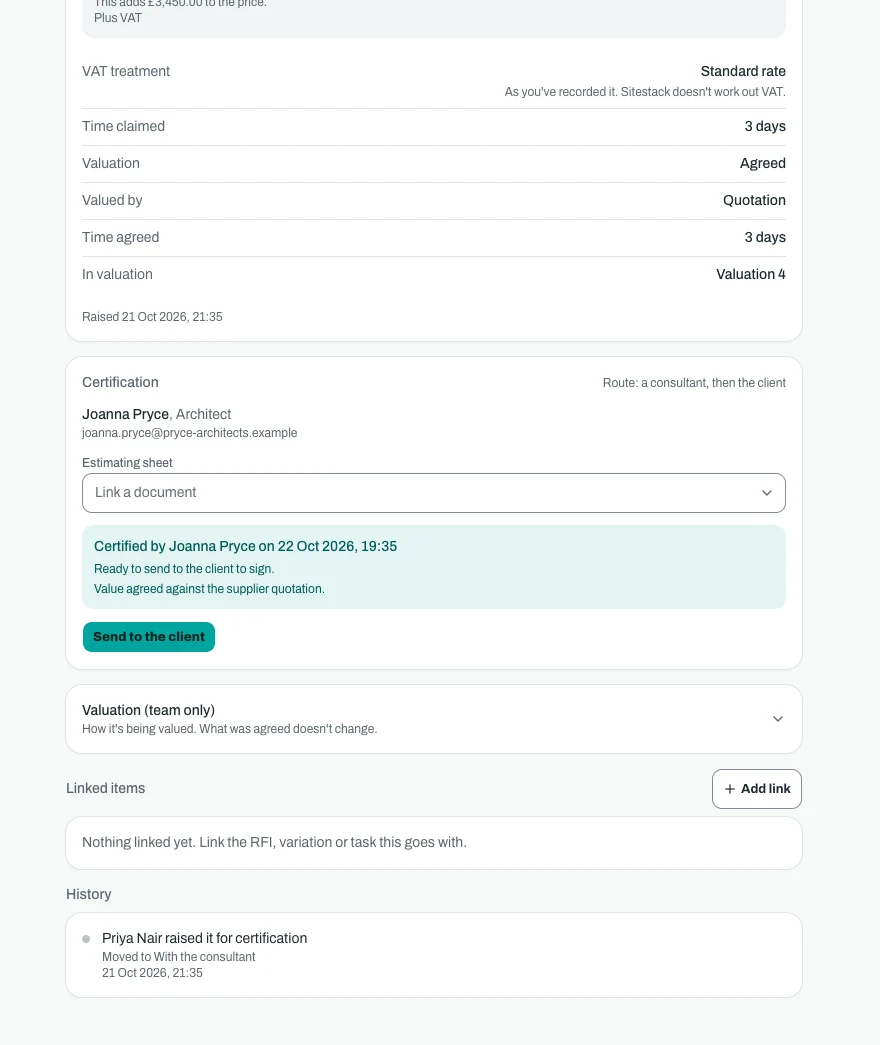
At the desk. The certificate is recorded with the consultant's name, the date and their note. You send it on when you are ready. 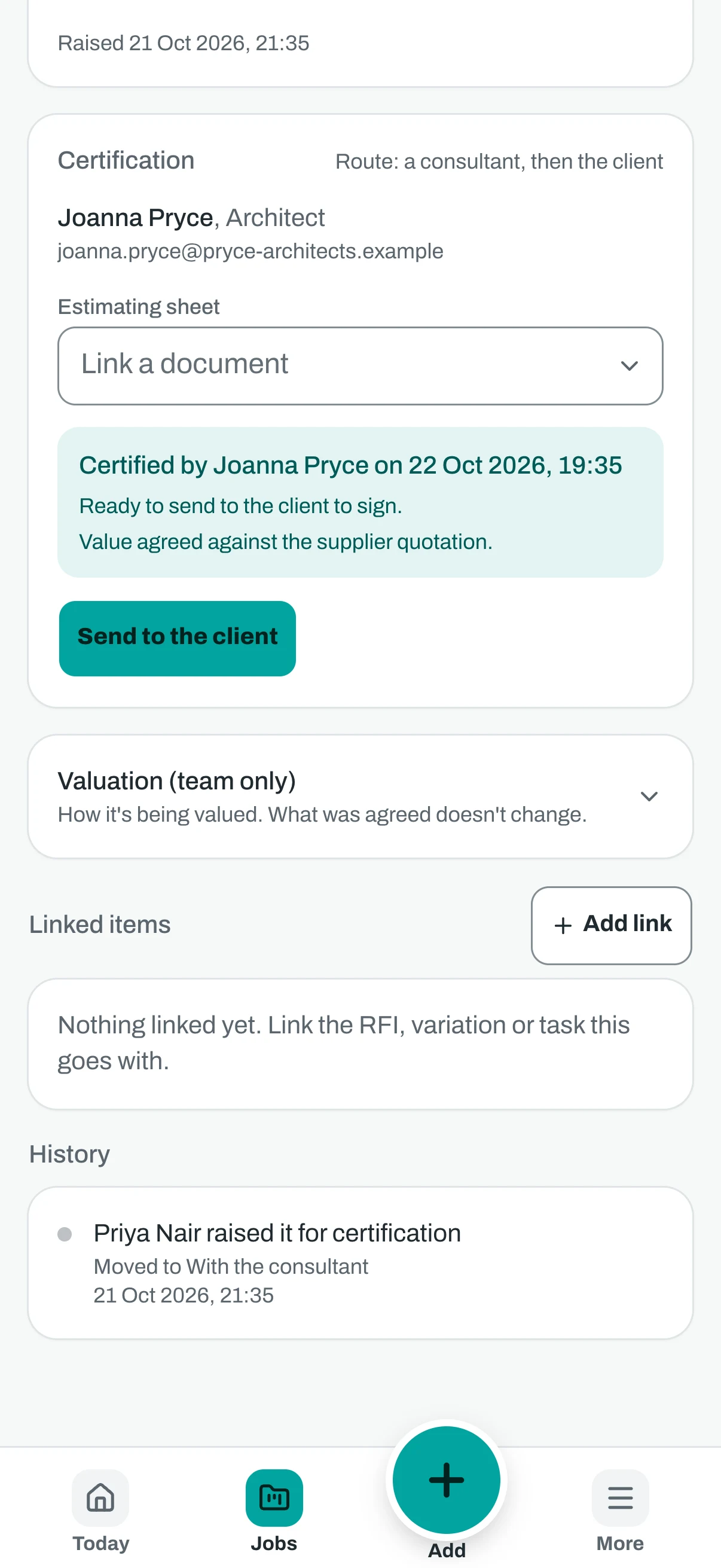
On the phone. The same step on a phone. Step 5. The client signs
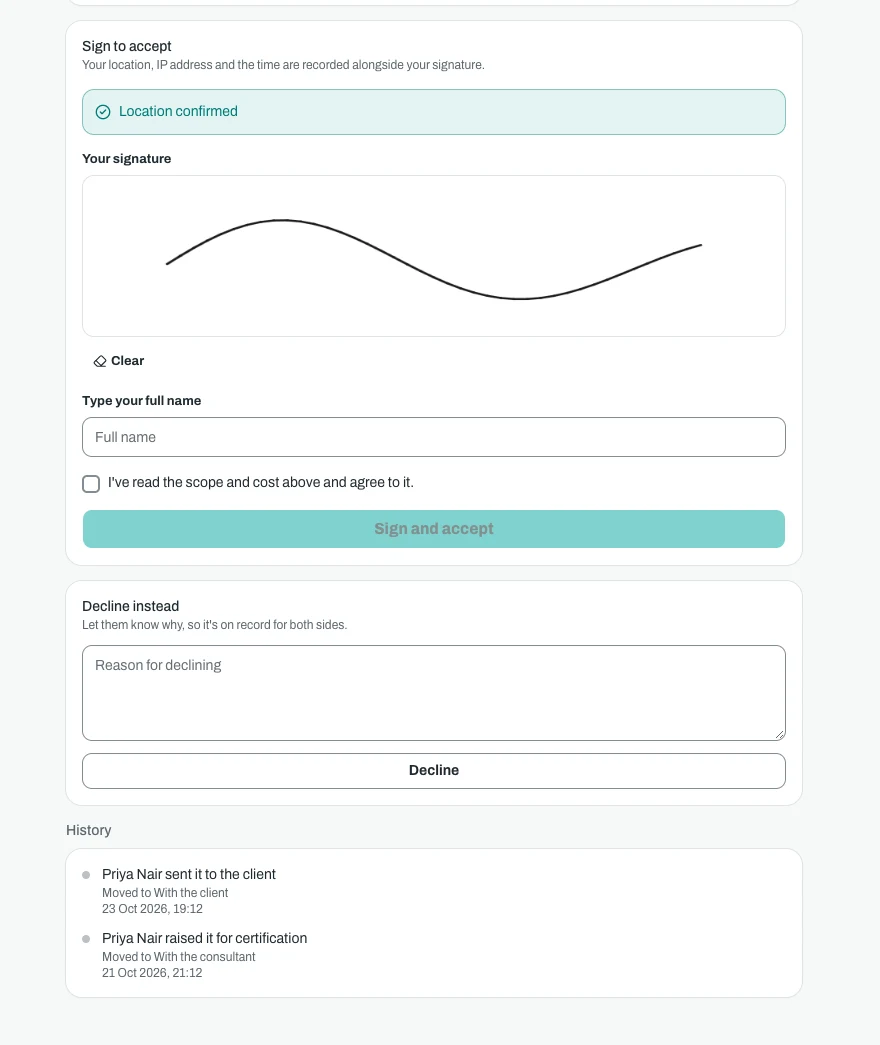
At the desk. The client signs with a drawn signature and their name. Their location and the time are recorded with it. 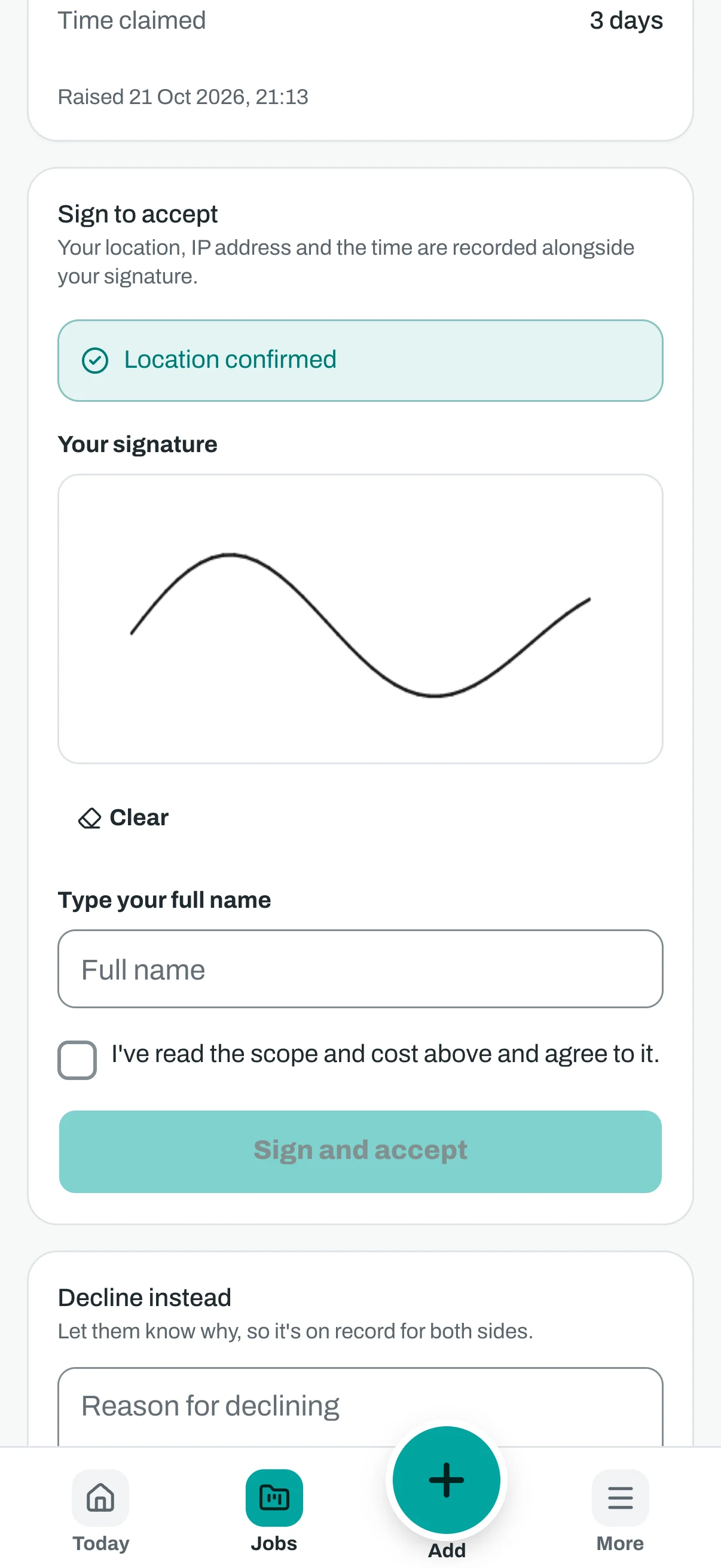
On the phone. The client can sign on their phone. Step 6. The finished record
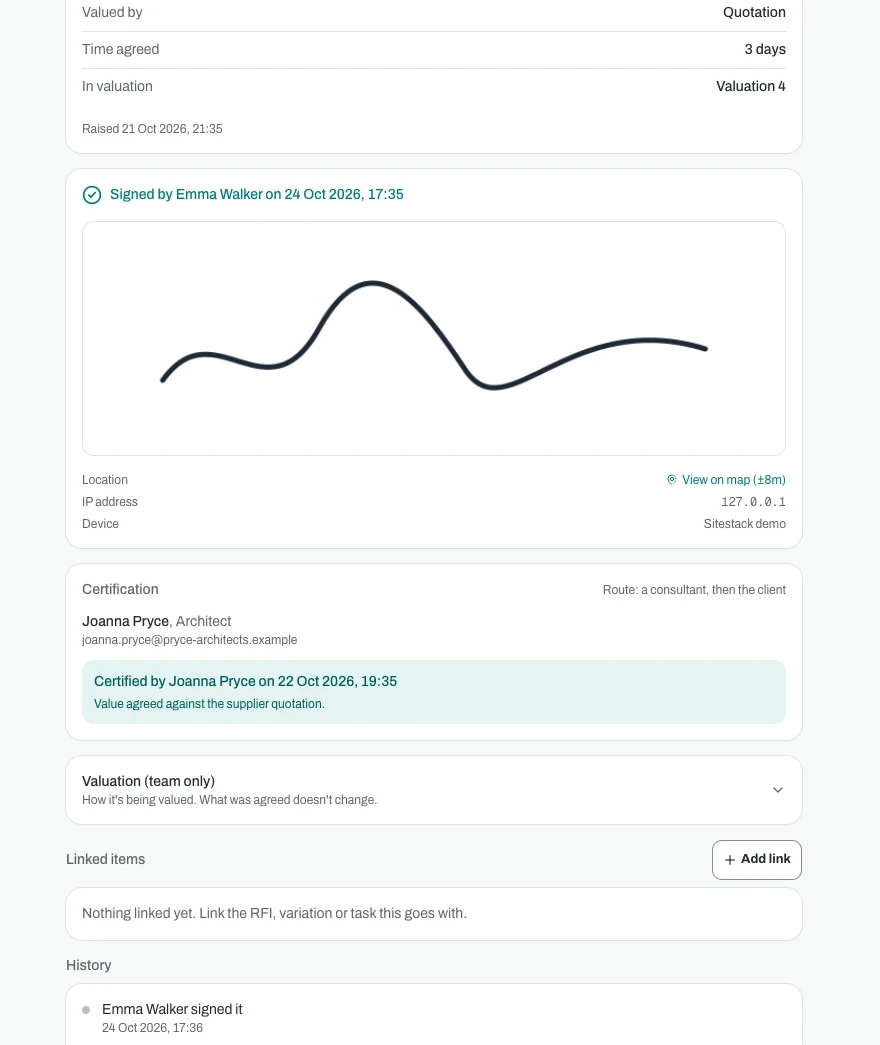
At the desk. The finished record: signed by the client with the date, time, signature and where it was signed. 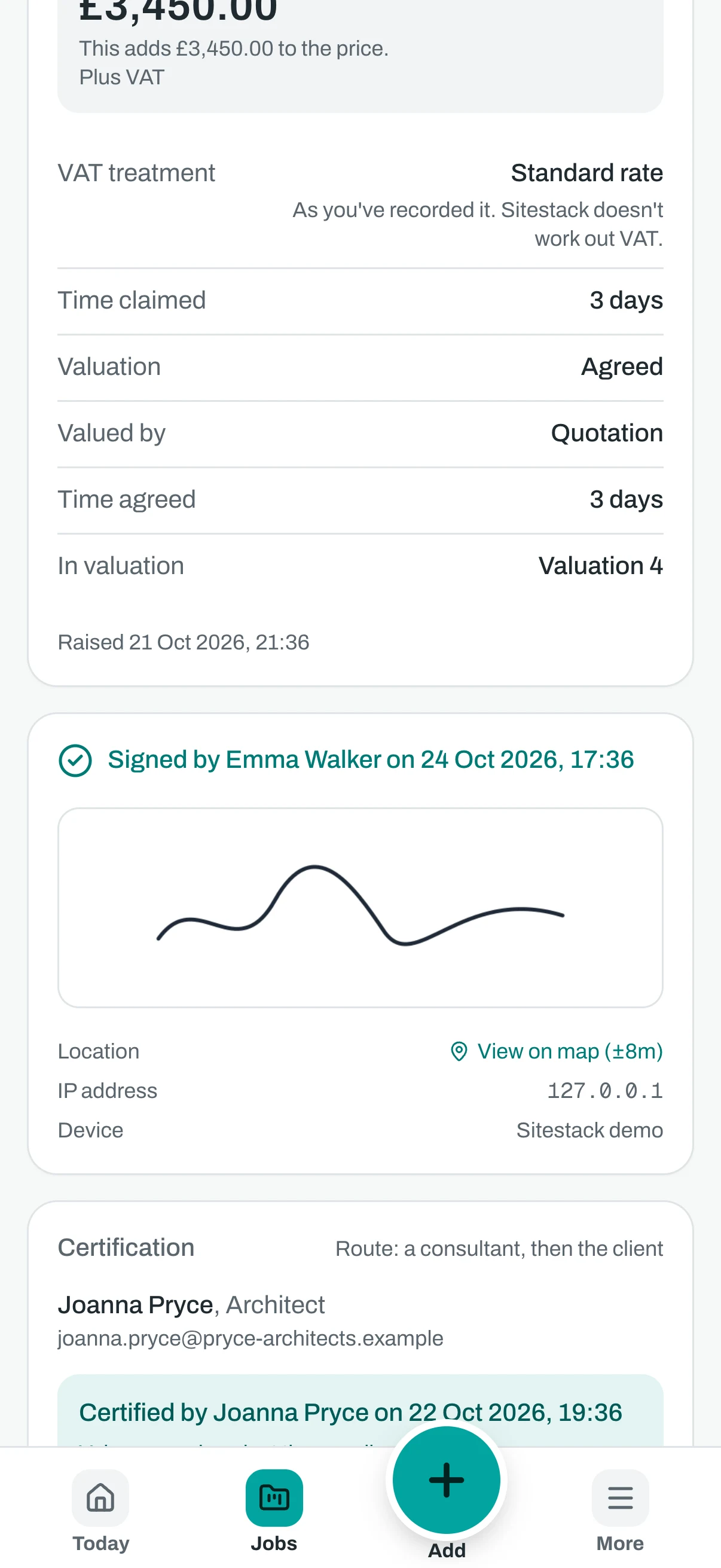
On the phone. The same finished record on a phone.
Screenshots show demo data.
Plain words
What it does and does not do
What it does not do. Sitestack records who certified or signed a variation, and when. It does not tell you whether a variation is valid under your contract, and it is not accounting software. VAT is as you have recorded it. Check your own contract and take advice where you need it.
Questions
Variations: what people ask
Can a consultant certify a variation without a Sitestack login?
What is the difference between the three routes?
Does Sitestack stop the work until it is certified?
Does it calculate VAT on a variation?
Is the signed variation a legally valid instruction?
Does it replace contract administration software?
Related
Works well with
Start your 14 day trial
14 day free trial. Every tool is on while you try it. Your card is taken at sign up and nothing is charged until the trial ends.