
Add-on, £59 a month
JCT and NEC4 contract administration, kept beside the job
Record your contracts, payment applications, notices and certificates with the dates worked out from the periods you enter. It sits beside Xero, Sage or QuickBooks and does not replace them.
Best for: Commercial contractors and QSs who run JCT or NEC4 contracts and pay a supply chain.
Contracts, payments and retention
Contracts set up once
Record a JCT, NEC4 or bespoke contract, whether you are paid or you pay. Enter its periods, pricing, retention and damages once, and each date after that is worked out from them.
Applications and notices
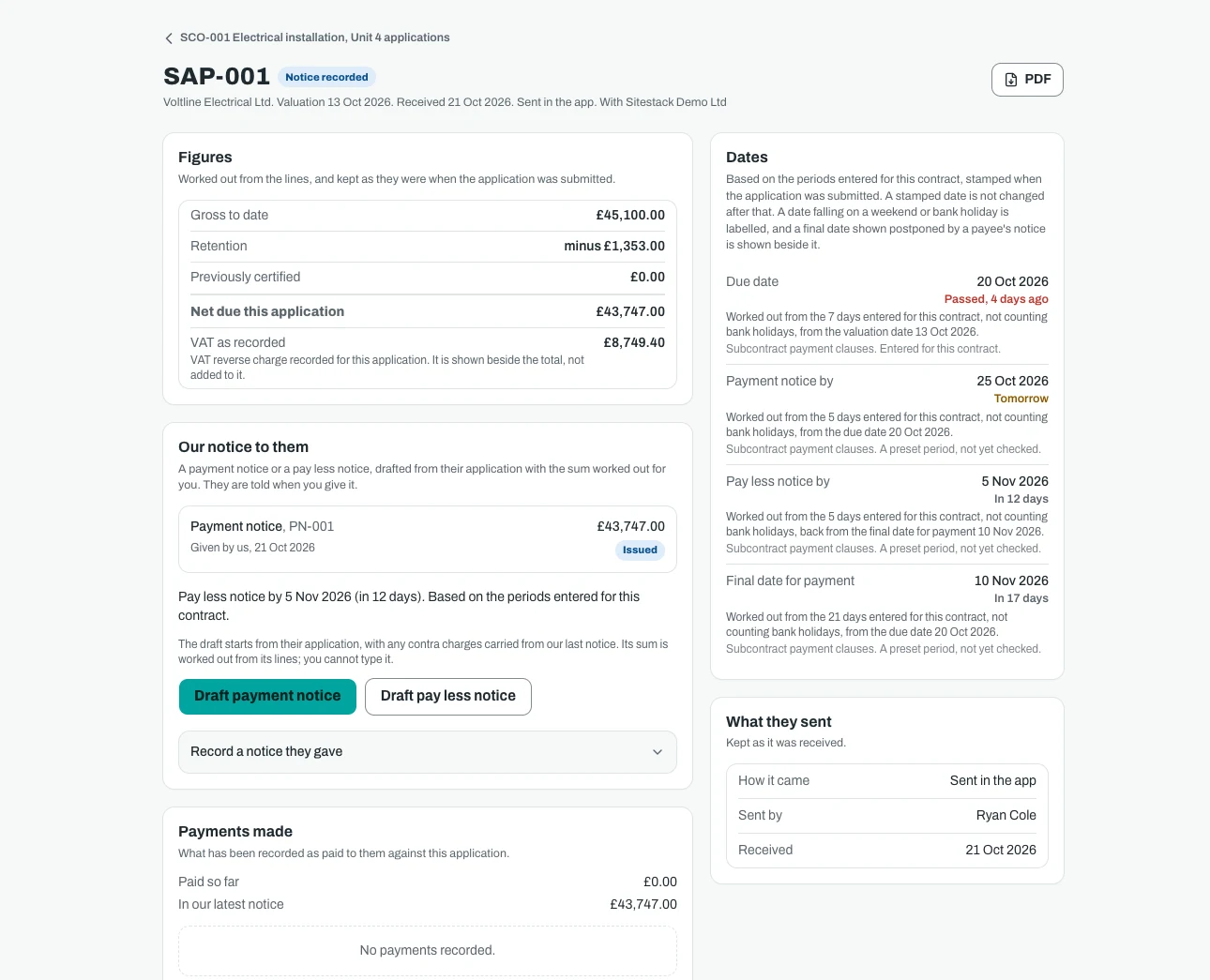
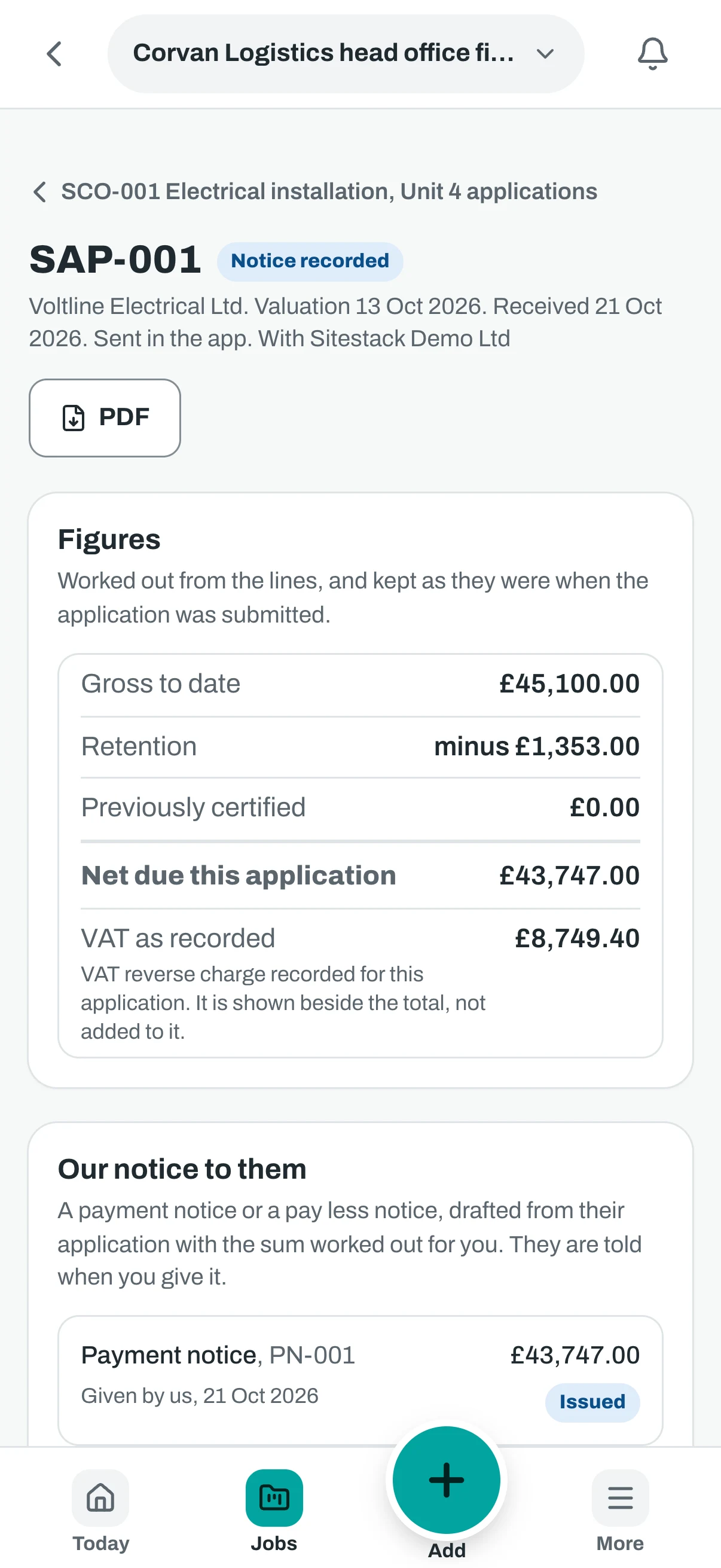
Record payment applications and the notices that answer them. Each due date shows the basis it was worked out from, so you can see why it falls where it does.
Retention
Hold retention as a percentage or a bond, and record each release and security. You can see what is held and what has been released.
Certificates
Record the certifier's payment, practical completion and final certificates. Sitestack keeps the record of the certifier's act and does not make the act.
The supply chain and changes
Subcontract orders
Issue subcontract orders and record acceptance, changes and prices. Applications come down to you from the subcontractor and notices go back, with free logins for them.
Payments out
Record each payment made against an application, with the labour and materials split. Sitestack records the payment. It does not make it.
Compensation events
On NEC4, record each compensation event, its quotation and the reply, with the dates taken from the periods saved for the contract. Late notification is shown as information only.
Early warnings and extensions
Record NEC4 early warnings and programme submissions. On JCT, record extensions of time, loss and expense and the final account.
CIS, fair payment and cost
CIS records and CSV export
Keep each subcontractor's UTR, verification number and rate as HMRC gave them to you. Export by tax month as CSV for your accounts package.
Fair payment tracking
See how quickly the supply chain is paid, with a flag on any invoice past 30 days from receipt where the flag applies. Late payment interest is worked out at the rate you enter, for information only.
Budgets and cost codes
Set a budget by cost code, in versions, and approve it. Cost codes are budget headings, not a chart of accounts.
Cost and forecasts
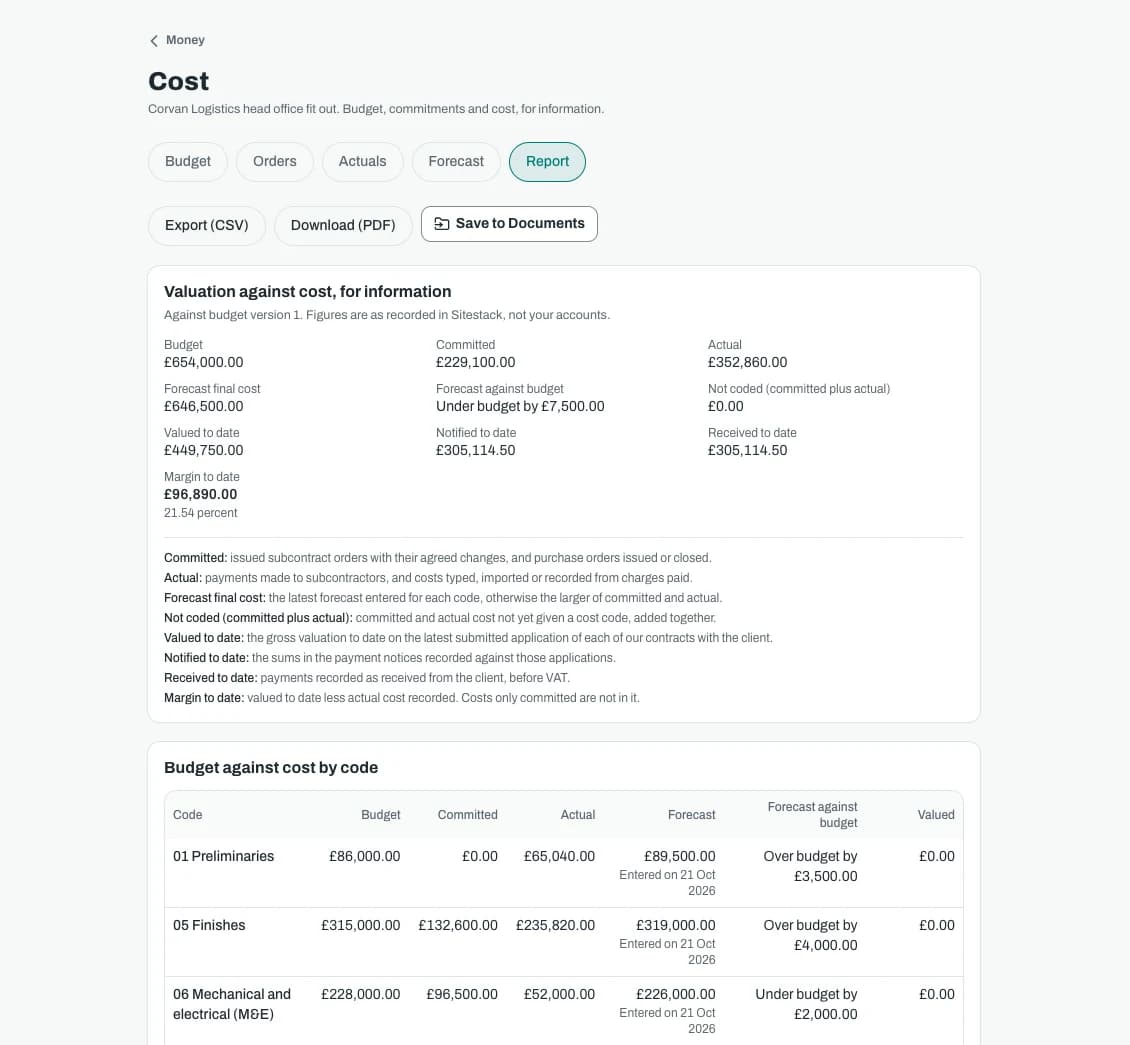
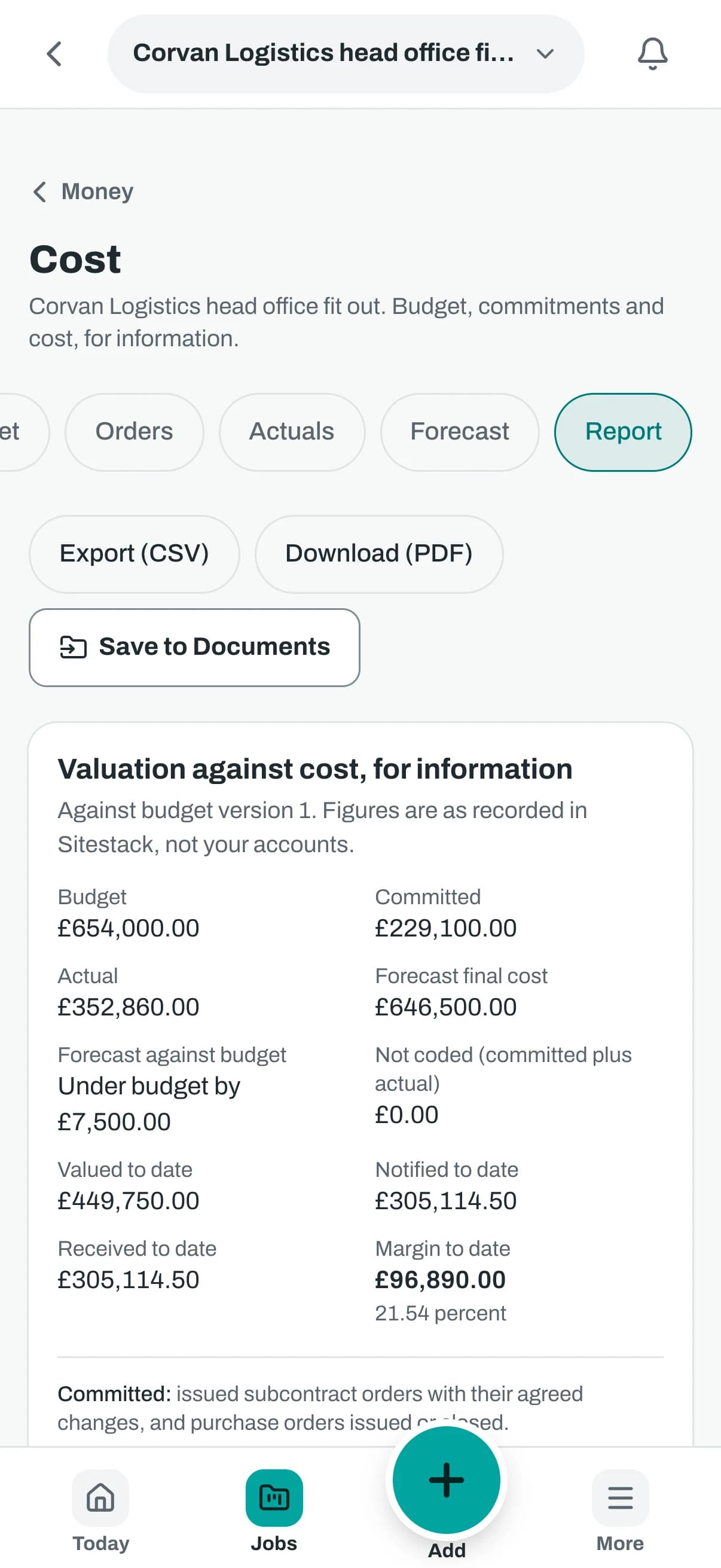
Record purchase orders as commitments, type in or import actual cost from your accounts package as CSV, and forecast to the end of the job. A report sets budget against cost.
The real app
On the phone and at the desk
Big buttons on site. Tables, filters and every record side by side in the office.
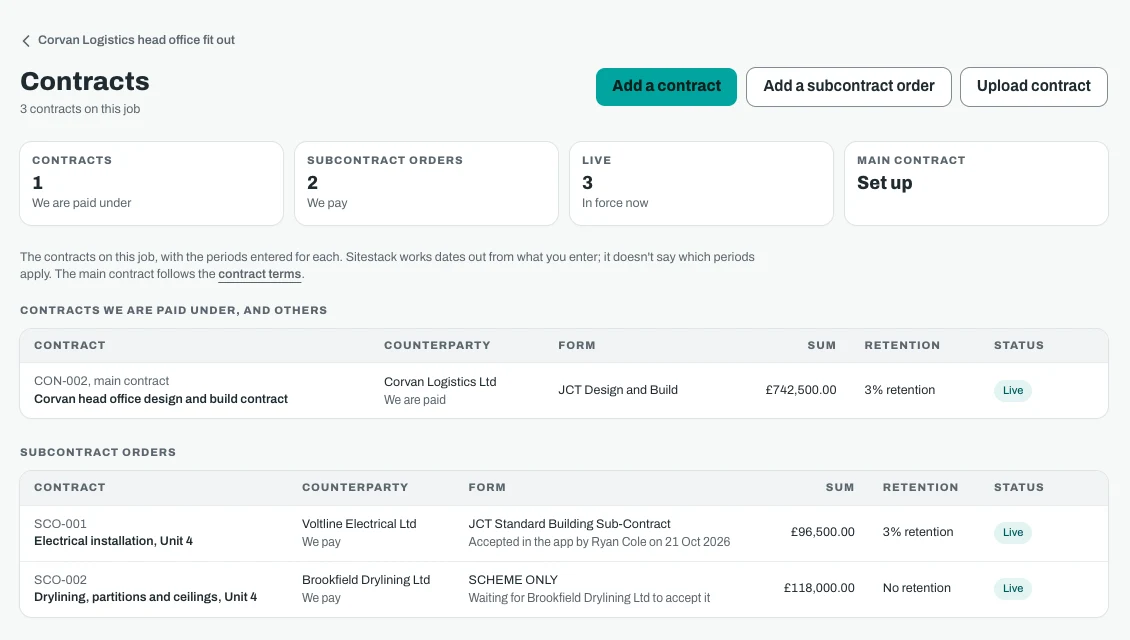
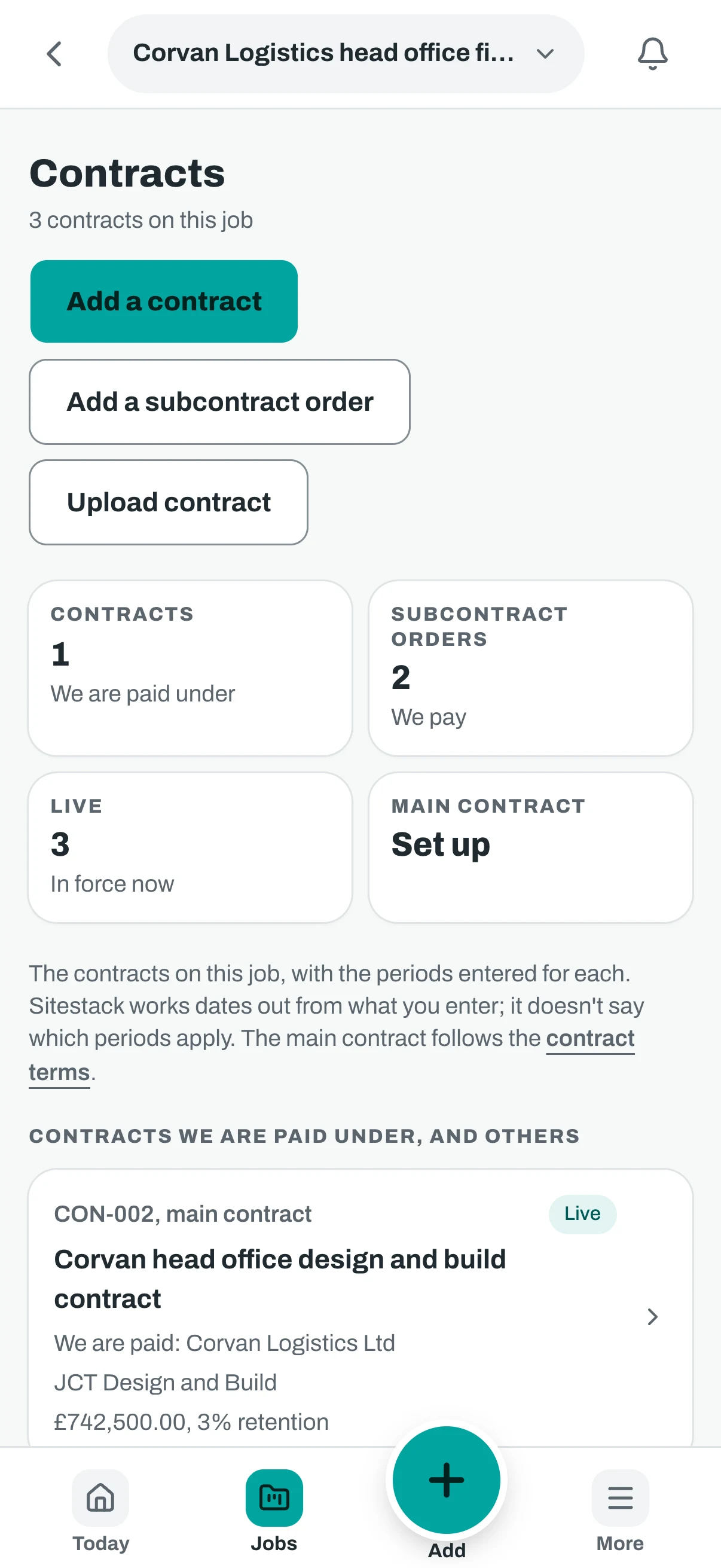
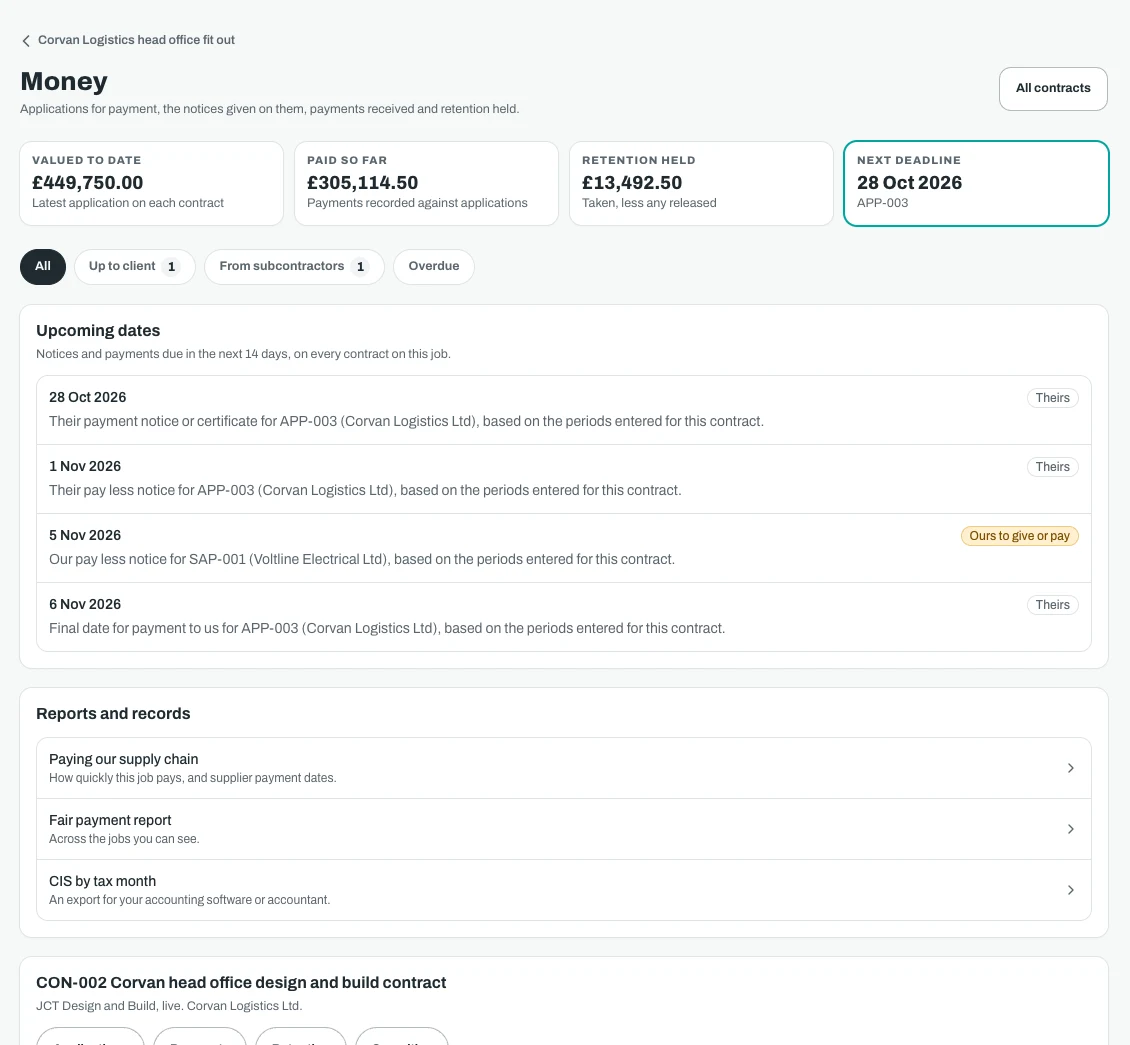
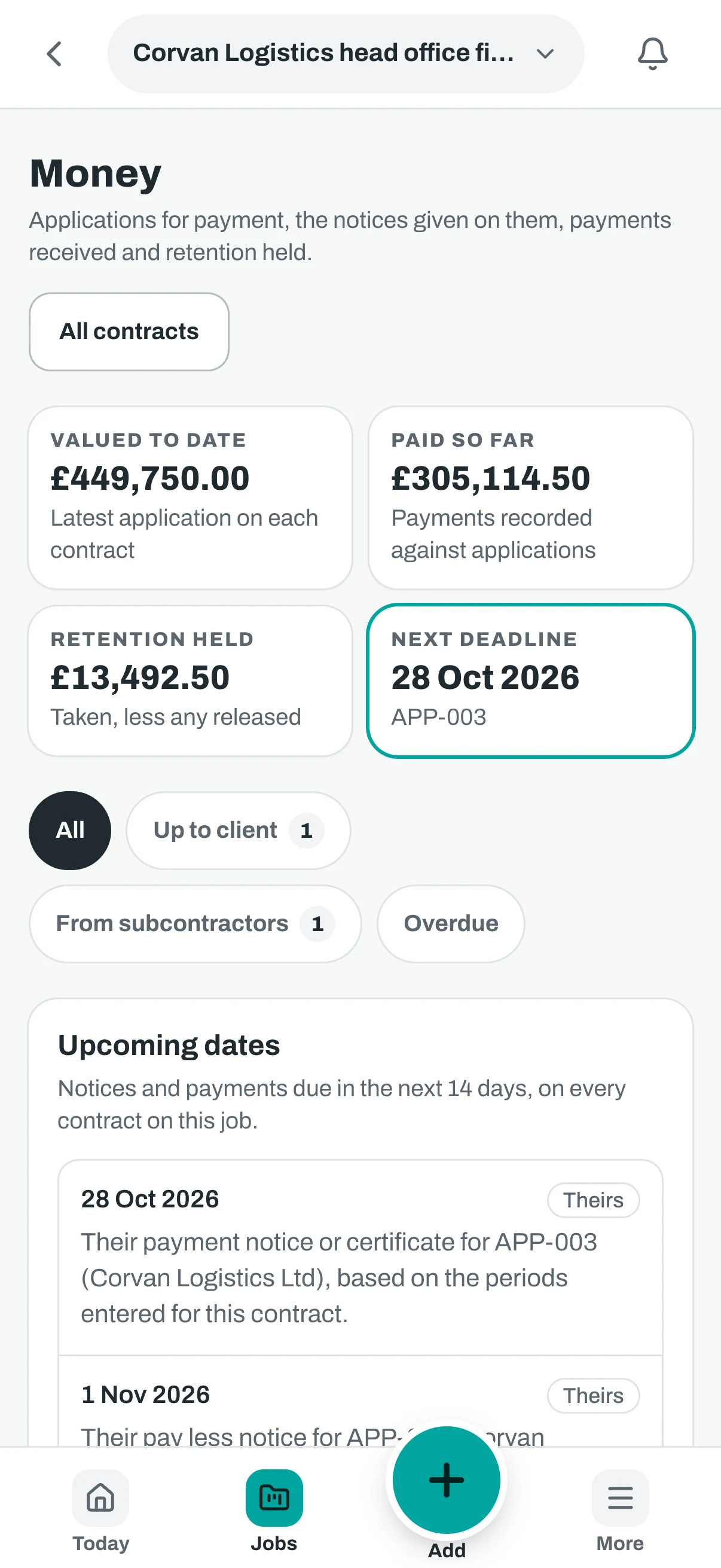
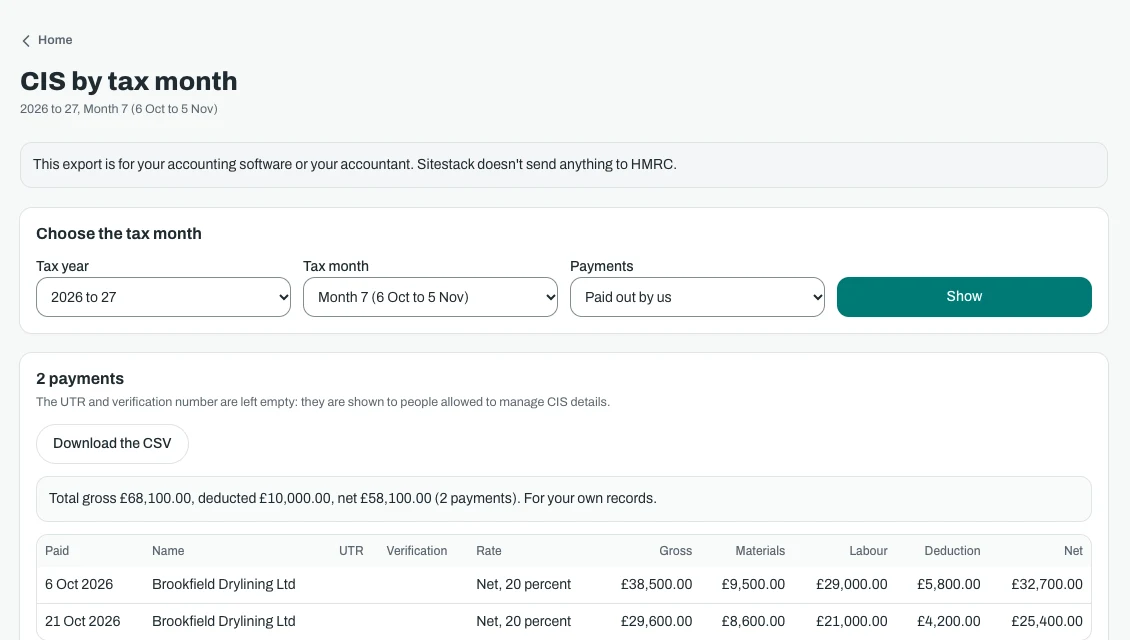
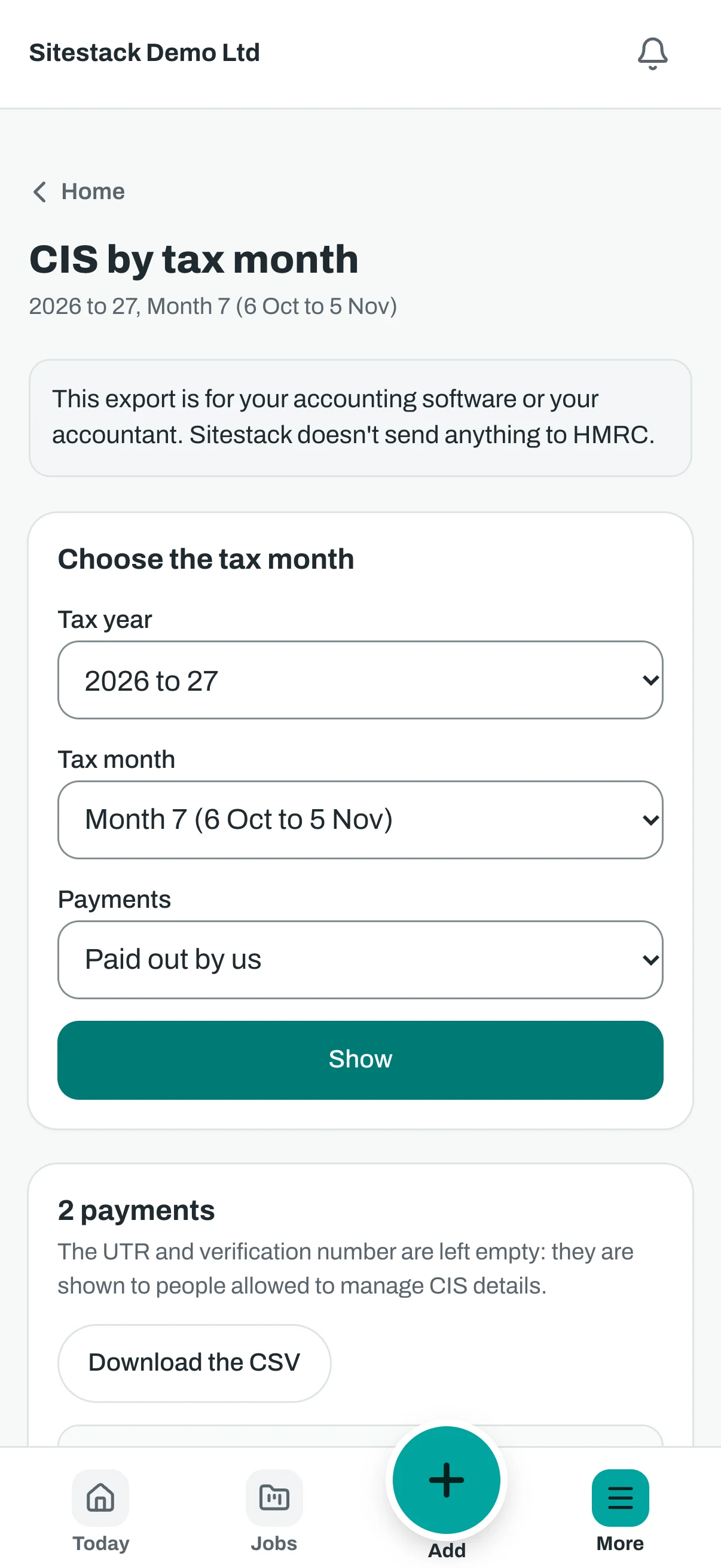
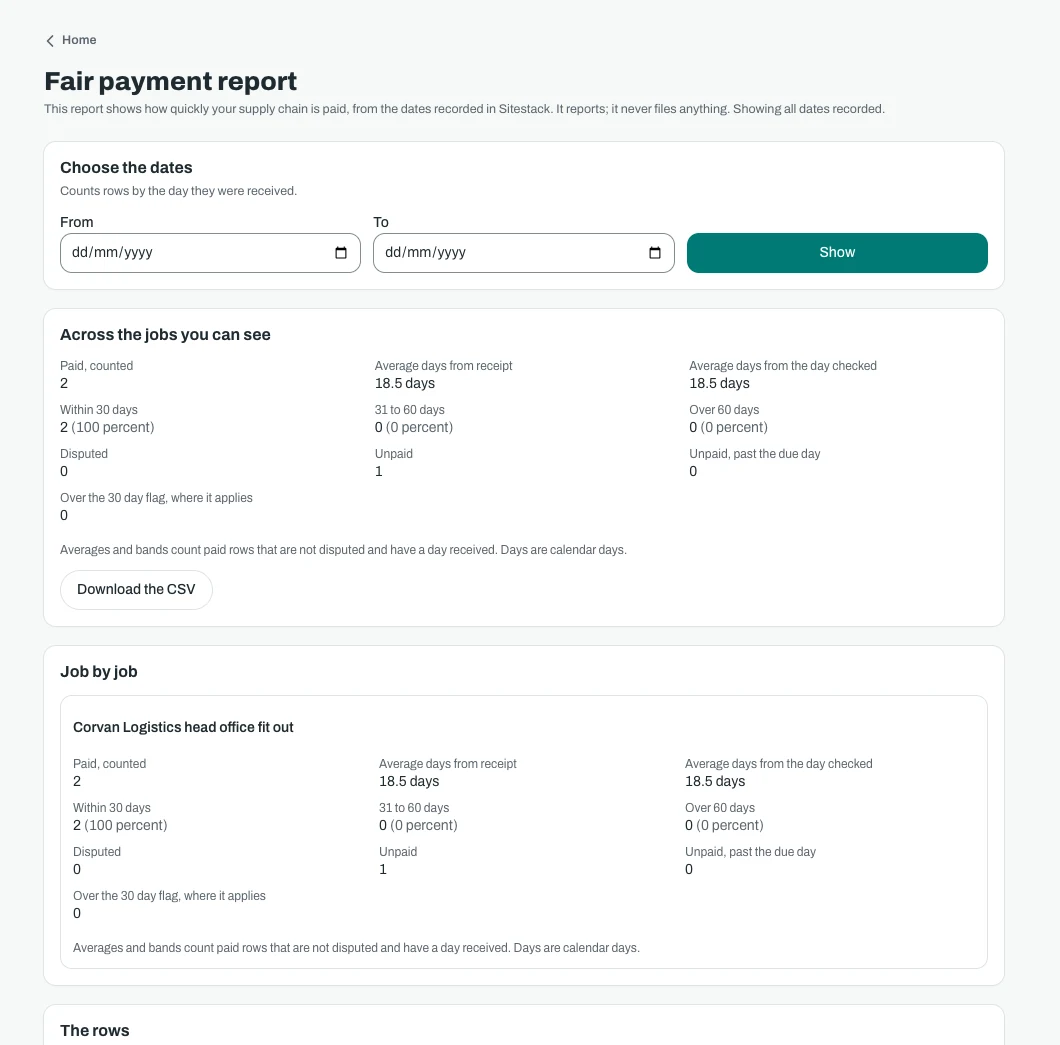
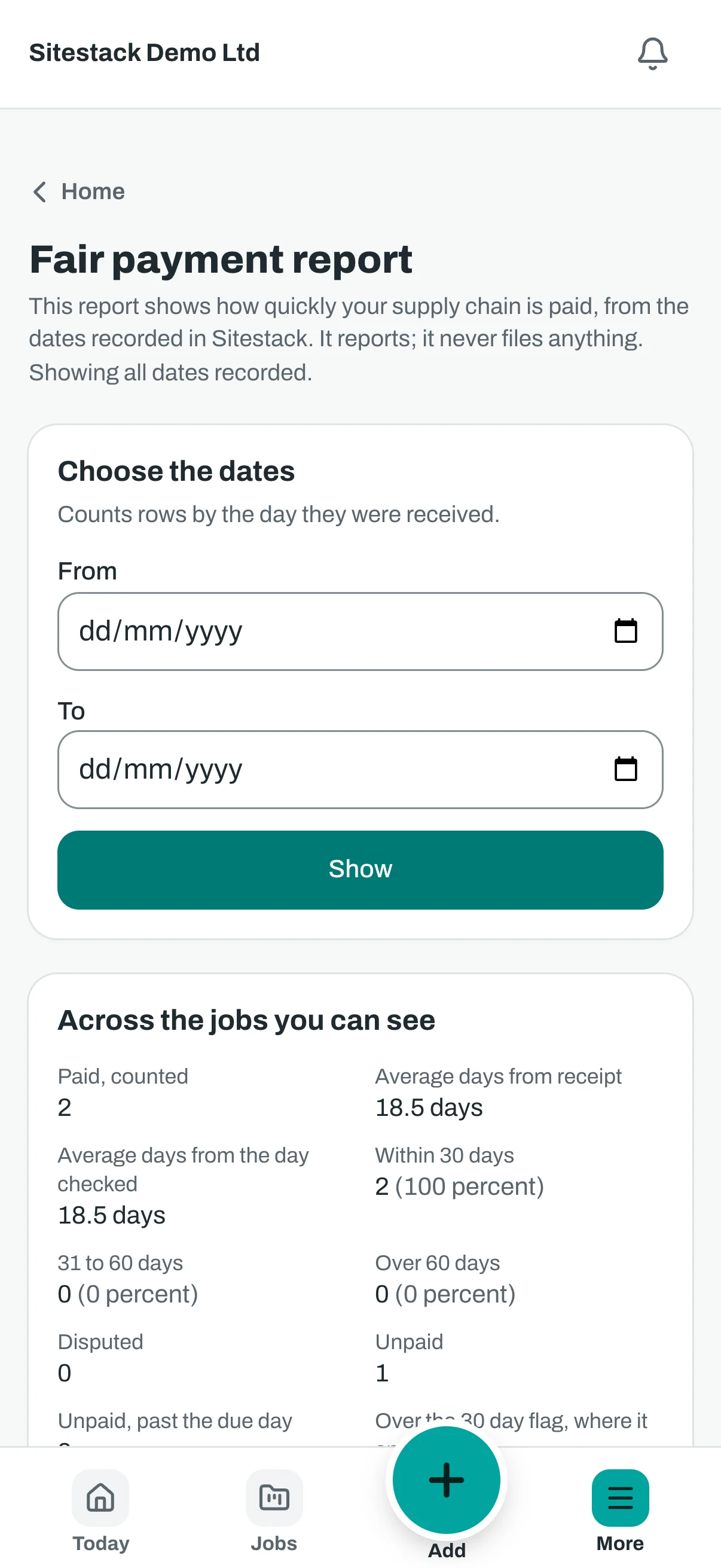
Screenshots show demo data.
Price
What Contracts and Money costs
Every add-on is on while you try Sitestack. Keep the ones you use.
What it does not do. This is not accounting software. It sits beside Xero, Sage or QuickBooks. There are no ledgers, no invoices, no bank, no VAT returns and no payroll. It does not file CIS statements or returns. It records what you tell it and gives no legal, tax or accounting advice, so check your own obligations and your contract with your adviser.
Contracts and Money
£59a month
or £590 a year, ten months for twelve. Ex VAT.
- A flat price for the whole company, not per seat
- The same price on Starter, Growth and Scale
- Switch it on or off from the billing page
Questions
Contracts and Money: what people ask
Does it follow the new fair payment law?
Does this replace Xero, Sage or QuickBooks?
Which contract forms does it cover?
Does it work out the dates for me?
Does it handle CIS?
How is it priced?
What happens if I switch it off?
Related
Works well with
- £29 a month
Site Control
RFIs, instructions, submittals, drawings and meetings.
More about Site Control - In every plan
Variations
Certified by the client or a consultant before the work starts.
More about Variations - £29 a month
Handover and Reporting
Handover packs, aftercare, social value and a dashboard.
More about Handover and Reporting
Start your 14 day trial
14 day free trial. Every tool is on while you try it. Your card is taken at sign up and nothing is charged until the trial ends.